
上一篇
HTML中插入背景视频的正确方法与技巧揭秘
在HTML中插入背景视频,可以让网页更加生动有趣,以下是一些常用的方法来实现这一功能。
使用HTML5的<video>
HTML5的<video>标签可以直接在HTML页面中插入视频,要将其作为背景视频,可以通过CSS进行样式设置。
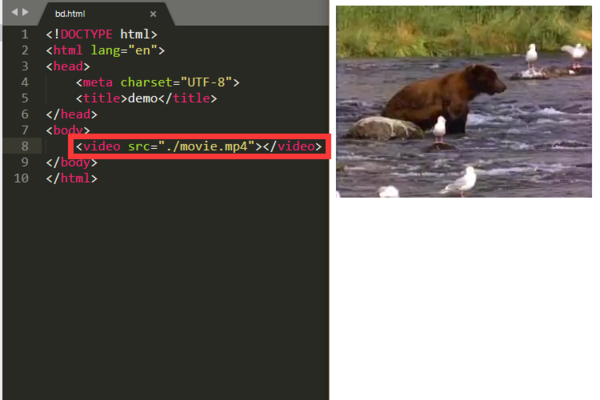
代码示例:
<!DOCTYPE html> <html lang="zhCN"> <head> <meta charset="UTF8">背景视频示例</title> <style> body, html { height: 100%; margin: 0; padding: 0; } .videobackground { position: fixed; right: 0; bottom: 0; minwidth: 100%; minheight: 100%; width: auto; height: auto; zindex: 100; background: url('background.jpg') norepeat; backgroundsize: cover; } video { position: fixed; right: 0; bottom: 0; minwidth: 100%; minheight: 100%; width: auto; height: auto; zindex: 100; background: url('background.jpg') norepeat; backgroundsize: cover; pointerevents: none; } </style> </head> <body> <div class="videobackground"> <video autoplay loop muted> <source src="background.mp4" type="video/mp4"> 您的浏览器不支持视频标签。 </video> </div> </body> </html>说明:
- autoplay:自动播放视频。
- loop:循环播放视频。
- muted:静音播放视频。
- pointerevents: none:禁用鼠标事件,避免点击视频时触发其他元素。
使用JavaScript库
除了HTML5的<video>标签,还可以使用JavaScript库来实现背景视频,以下是一些常用的库:
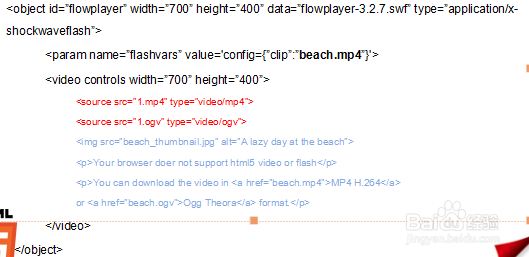
- video.js:一个开源的JavaScript视频播放器库。
- plyr:一个简单易用的视频播放器库。
- videoreact:一个基于React的视频播放器库。
以下是一个使用video.js的示例:
代码示例:
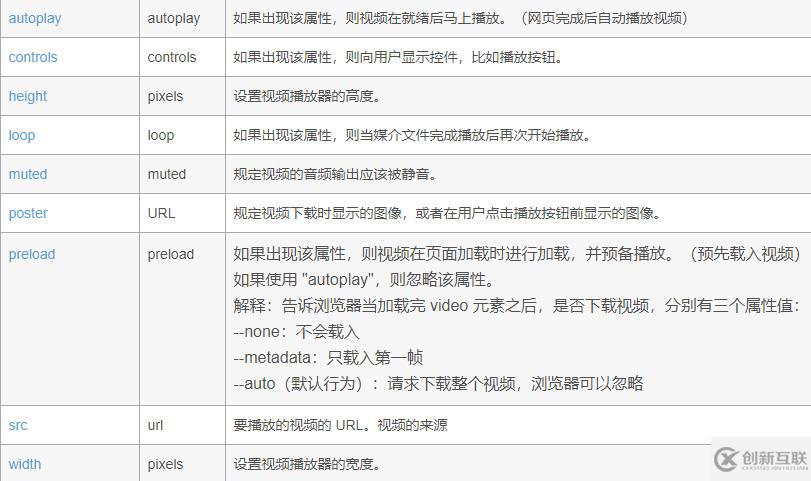
<!DOCTYPE html> <html lang="zhCN"> <head> <meta charset="UTF8">背景视频示例</title> <link href="https://vjs.zencdn.net/7.8.4/videojs.css" rel="stylesheet" /> <script src="https://vjs.zencdn.net/7.8.4/video.min.js"></script> <style> .videobackground { position: fixed; right: 0; bottom: 0; minwidth: 100%; minheight: 100%; width: auto; height: auto; zindex: 100; background: url('background.jpg') norepeat; backgroundsize: cover; } </style> </head> <body> <div class="videobackground"> <video class="videojs vjsdefaultskin" controls preload="auto" autoplay loop muted> <source src="background.mp4" type="video/mp4"> 您的浏览器不支持视频标签。 </video> </div> <script> var player = videojs('videobackground'); </script> </body> </html>
FAQs
Q1:如何让背景视频在页面加载时自动播放?
A1:在<video>标签中添加autoplay属性即可实现自动播放。
Q2:如何让背景视频在页面滚动时保持固定位置?
A2:将视频容器设置为position: fixed;,并将zindex设置为负值,例如zindex: 100;,这样视频就会始终保持在页面的底部。















