
上一篇
如何通过HTML实现读取并展示PDF文件的功能?
HTML本身并不具备直接读取PDF文件的能力,因为HTML是用于创建网页的标准标记语言,而PDF是一种电子文档格式,有多种方法可以让HTML页面展示PDF文件,以下是一些常见的方法:
使用<iframe>标签嵌入PDF
最简单的方法是使用<iframe>标签来嵌入PDF文件,以下是一个基本的示例:
<iframe src="path/to/your/document.pdf" width="600" height="400" frameborder="0"></iframe>
在这个例子中,src属性指定了PDF文件的路径,width和height属性设置了iframe的大小。
使用PDF.js库
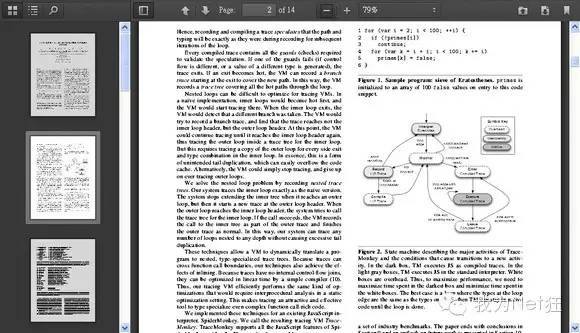
PDF.js是一个由Mozilla开发的开源库,用于在网页上显示PDF文件,要使用PDF.js,首先需要下载PDF.js库,并在HTML页面中引入它。
以下是一个简单的示例:
<!DOCTYPE html> <html> <head>PDF.js Example</title> <script src="https://mozilla.github.io/pdf.js/build/pdf.js"></script> </head> <body> <canvas id="pdfcanvas"></canvas> <script> var url = 'path/to/your/document.pdf'; pdfjsLib.getDocument(url).promise.then(function(pdf) { pdf.getPage(1).then(function(page) { var scale = 1.5; var viewport = page.getViewport({scale: scale}); var canvas = document.getElementById('pdfcanvas'); var context = canvas.getContext('2d'); canvas.height = viewport.height; canvas.width = viewport.width; var renderContext = { canvasContext: context, viewport: viewport }; page.render(renderContext); }); }); </script> </body> </html>
在这个例子中,pdf.js库被用于加载和渲染PDF文件。
使用Google Docs Viewer
如果你希望在不安装任何库的情况下嵌入PDF文件,可以使用Google Docs Viewer,以下是一个示例:
<iframe src="https://docs.google.com/gview?url=http://path.to/your/document.pdf&embedded=true" style="width:600px; height:400px;" frameborder="0"></iframe>
在这个例子中,url属性指定了PDF文件的路径。
使用Adobe Acrobat在线服务
Adobe Acrobat提供了一个在线服务,可以将PDF文件转换为可以在网页上查看的格式,以下是一个示例:
<object data="http://docs.acrobat.com/viewer# embedsrc=http://path.to/your/document.pdf" width="600" height="400" type="application/pdf"></object>
在这个例子中,embedsrc属性指定了PDF文件的路径。
| 方法 | 描述 | 示例代码 |
|---|---|---|
| <iframe> | 使用<iframe>标签嵌入PDF文件。 | <iframe src="path/to/your/document.pdf" width="600" height="400" frameborder="0"></iframe> |
| PDF.js | 使用PDF.js库在网页上显示PDF文件。 | “`html |
<!DOCTYPE html>
PDF.js Example















