
上一篇
Java时间保存方法及最佳实践探讨?
Java时间保存是一个常见的需求,无论是保存到数据库、文件还是其他存储介质,都有不同的方法和考虑,以下是一些常用的Java时间保存方法:
使用java.util.Date和java.util.Calendar
Java的Date和Calendar类是处理时间的基本工具,Date提供了简单的日期和时间对象,而Calendar则提供了更详细的时间操作。
| 方法 | 描述 |
|---|---|
| Date | 表示特定的瞬间,精确到毫秒 |
| Calendar | 提供对日历字段(如年、月、日、时、分、秒等)的访问和修改 |
保存到文件
import java.io.FileWriter; import java.io.IOException; import java.util.Date; public class DateToFile { public static void main(String[] args) { Date date = new Date(); try (FileWriter writer = new FileWriter("date.txt")) { writer.write(date.toString()); } catch (IOException e) { e.printStackTrace(); } } }
保存到数据库
import java.sql.Connection; import java.sql.DriverManager; import java.sql.PreparedStatement; import java.sql.SQLException; import java.util.Date; public class DateToDatabase { public static void main(String[] args) { try (Connection conn = DriverManager.getConnection("jdbc:mysql://localhost:3306/mydb", "user", "password")) { String sql = "INSERT INTO dates (date) VALUES (?)"; try (PreparedStatement pstmt = conn.prepareStatement(sql)) { pstmt.setDate(1, new java.sql.Date(System.currentTimeMillis())); pstmt.executeUpdate(); } } catch (SQLException e) { e.printStackTrace(); } } }
使用java.time包
从Java 8开始,引入了新的时间日期API,包括LocalDate、LocalTime、LocalDateTime等,它们提供了更加强大和灵活的时间处理功能。
| 类 | 描述 |
|---|---|
| LocalDate | 不包含时间的日期 |
| LocalTime | 不包含日期的时间 |
| LocalDateTime | 包含日期和时间 |
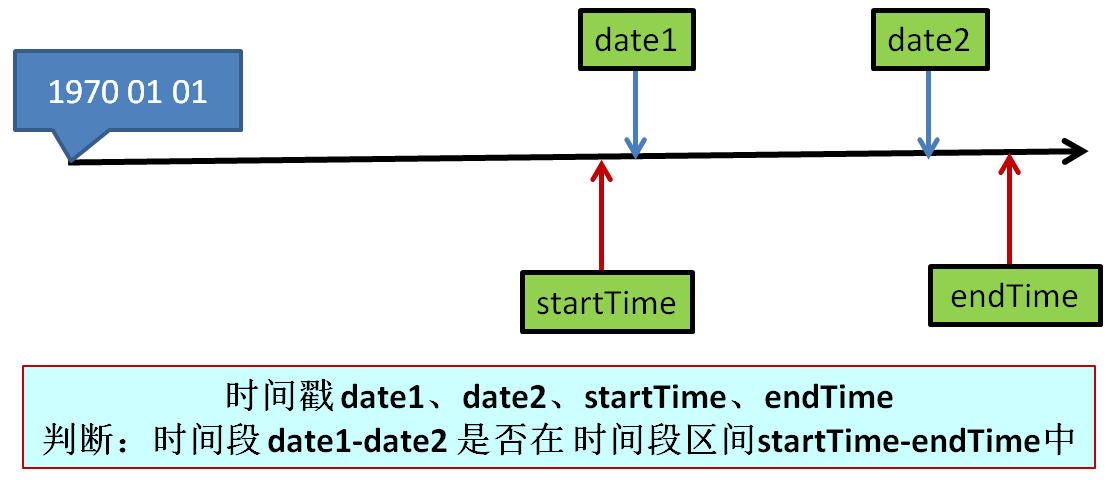
| Instant | 时间戳,表示自1970年1月1日以来的秒数 |
保存到文件
import java.io.FileWriter; import java.io.IOException; import java.time.LocalDateTime; public class LocalDateTimeToFile { public static void main(String[] args) { LocalDateTime now = LocalDateTime.now(); try (FileWriter writer = new FileWriter("datetime.txt")) { writer.write(now.toString()); } catch (IOException e) { e.printStackTrace(); } } }
保存到数据库
import java.sql.Connection; import java.sql.DriverManager; import java.sql.PreparedStatement; import java.sql.SQLException; import java.time.LocalDateTime; public class LocalDateTimeToDatabase { public static void main(String[] args) { try (Connection conn = DriverManager.getConnection("jdbc:mysql://localhost:3306/mydb", "user", "password")) { String sql = "INSERT INTO datetimes (datetime) VALUES (?)"; try (PreparedStatement pstmt = conn.prepareStatement(sql)) { pstmt.setObject(1, LocalDateTime.now()); pstmt.executeUpdate(); } } catch (SQLException e) { e.printStackTrace(); } } }
FAQs
Q1: 如何将Java时间保存到JSON文件中?
A1: 可以使用Jackson库将Java对象转换为JSON字符串,然后保存到文件。
import com.fasterxml.jackson.databind.ObjectMapper; import java.io.File; import java.io.IOException; import java.time.LocalDateTime; public class LocalDateTimeToJsonFile { public static void main(String[] args) { LocalDateTime now = LocalDateTime.now(); ObjectMapper mapper = new ObjectMapper(); try { mapper.writeValue(new File("datetime.json"), now); } catch (IOException e) { e.printStackTrace(); } } }
Q2: 如何将Java时间保存到XML文件中?
A2: 可以使用JAXB库将Java对象转换为XML字符串,然后保存到文件。
import javax.xml.bind.JAXBContext; import javax.xml.bind.Marshaller; import java.io.File; import java.time.LocalDateTime; public class LocalDateTimeToXmlFile { public static void main(String[] args) { LocalDateTime now = LocalDateTime.now(); try { JAXBContext context = JAXBContext.newInstance(LocalDateTime.class); Marshaller marshaller = context.createMarshaller(); marshaller.setProperty(Marshaller.JAXB_FORMATTED_OUTPUT, true); marshaller.marshal(now, new File("datetime.xml")); } catch (Exception e) { e.printStackTrace(); } } }















