上一篇
如何配置CentOS 7虚拟主机文件?
CentOS7 虚拟主机配置文件通常位于 /etc/httpd/conf.d/(Apache)或 /etc/nginx/conf.d/(Nginx)目录下,每个文件定义一个站点,包含域名、根目录、端口等核心参数。
在CentOS 7系统中配置虚拟主机(Virtual Host)是托管多个网站的核心技术,通过Apache的配置文件实现资源隔离与灵活管理,以下为详细操作指南,遵循安全最佳实践并基于Apache 2.4环境(需提前安装httpd服务)。
配置前准备
- 环境要求:
- 已安装Apache:sudo yum install httpd
- 防火墙放行HTTP/HTTPS: sudo firewall-cmd --permanent --add-service={http,https} sudo firewall-cmd --reload
- 目录结构规范:
- 网站根目录:/var/www/下为每个站点创建独立目录(如example.com/public_html)
- 日志目录:/var/log/httpd/下分站点存储(如example.com_error.log)
虚拟主机配置文件详解
步骤1:创建配置文件
在/etc/httpd/conf.d/目录新建配置文件(如example.com.conf),命名需以.conf
步骤2:基础配置模板(HTTP)
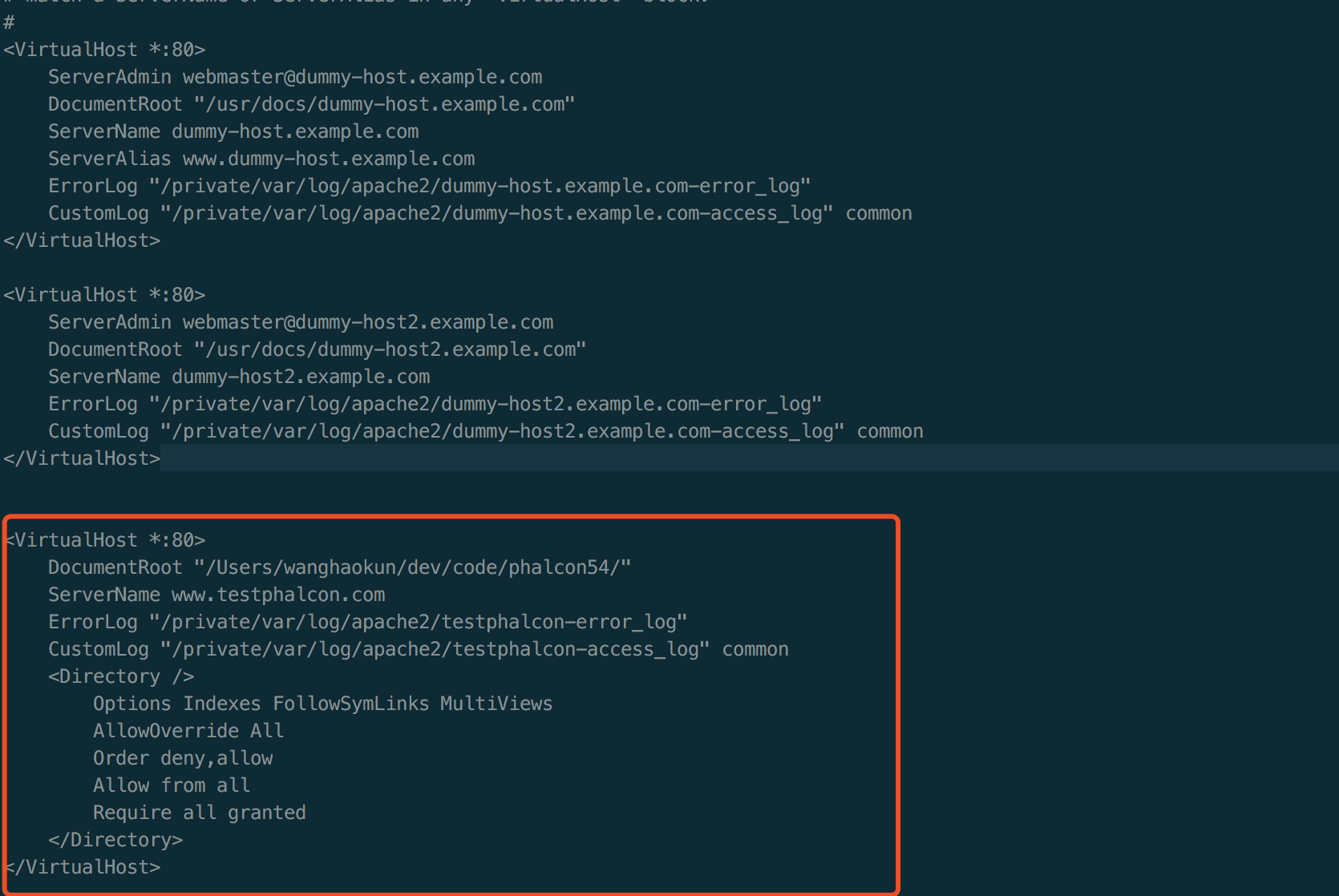
<VirtualHost *:80> # 域名配置(支持多个) ServerName example.com ServerAlias www.example.com # 站点根目录及权限 DocumentRoot "/var/www/example.com/public_html" <Directory "/var/www/example.com/public_html"> Require all granted # 允许所有访问 Options -Indexes # 禁止目录列表(安全加固) AllowOverride All # 启用.htaccess覆盖规则 </Directory> # 日志分离 ErrorLog "/var/log/httpd/example.com_error.log" CustomLog "/var/log/httpd/example.com_access.log" combined </VirtualHost>
步骤3:HTTPS配置(SSL/TLS强化)
<VirtualHost *:443> ServerName example.com DocumentRoot "/var/www/example.com/public_html" # SSL证书路径(需提前部署) SSLEngine on SSLCertificateFile /etc/pki/tls/certs/example.com.crt SSLCertificateKeyFile /etc/pki/tls/private/example.com.key SSLCertificateChainFile /etc/pki/tls/certs/ca-bundle.crt # 中间证书链 # 强制HTTP跳转HTTPS(在80端口配置中添加) RewriteEngine on RewriteCond %{HTTPS} off RewriteRule ^(.*)$ https://%{HTTP_HOST}%{REQUEST_URI} [R=301,L] </VirtualHost>
关键安全配置项
- 目录权限控制:
- 禁用敏感目录执行权限: <Directory "/var/www/example.com/private"> Require all denied </Directory>
- 防跨站脚本攻破(XSS): Header always set X-XSS-Protection "1; mode=block"
- 禁用服务器信息泄露: ServerTokens Prod # 仅显示Apache版本 ServerSignature Off # 隐藏页面底部签名
生效配置与故障排查
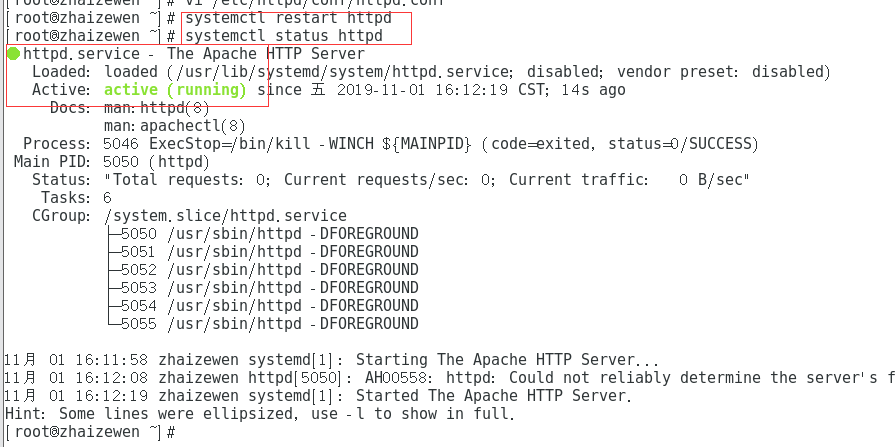
- 语法检查与重启服务: sudo httpd -t # 验证配置语法 sudo systemctl restart httpd
- 常见错误排查:
- 403 Forbidden:检查目录权限(chmod 755 /var/www/example.com)及SELinux状态(setenforce 0临时禁用测试)。
- 域名无法解析:确保本地DNS或/etc/hosts已配置域名指向服务器IP。
- 端口冲突:通过netstat -tulnp | grep ':80'确认端口占用。
高阶场景示例
多版本PHP支持(通过mod_php或PHP-FPM):
# 在VirtualHost块内添加 <FilesMatch .php$> SetHandler "proxy:unix:/var/run/php-fpm/example.com.sock|fcgi://localhost" </FilesMatch>
规范配置CentOS 7虚拟主机需关注三点:目录隔离、权限最小化及HTTPS强制加密,定期审查日志(/var/log/httpd/)与更新证书可显著提升安全性,对于高流量站点,建议结合mod_security模块增强WAF防护。
引用说明:本文配置基于Apache 2.4官方文档安全实践,参考来源:
- Apache HTTP Server Documentation: https://httpd.apache.org/docs/2.4/
- CentOS 7 Security Guide: https://wiki.centos.org/HowTos/OS_Protection
- Mozilla SSL Configuration Generator: https://ssl-config.mozilla.org/