
上一篇
Java按钮如何正确配置实现超链接功能?哪种方法更高效?
在Java中,按钮(JButton)本身并不直接支持设置超链接的功能,我们可以通过一些方法来实现类似的效果,以下是一些常用的方法来在Java按钮中设置超链接:
使用HTML标签
- 创建一个按钮。
- 使用HTML标签<a>来包裹按钮。
- 设置<a>标签的href属性为所需的URL。
- 将按钮添加到容器中。
import javax.swing.*; import java.awt.*; public class HyperlinkButtonExample { public static void main(String[] args) { JFrame frame = new JFrame("Hyperlink Button Example"); frame.setDefaultCloseOperation(JFrame.EXIT_ON_CLOSE); frame.setSize(300, 200); JButton button = new JButton("<html><font color='blue'>点击这里访问网站</font></html>"); button.addActionListener(e > { try { Desktop.getDesktop().browse(new URL("http://www.example.com").toURI()); } catch (Exception ex) { ex.printStackTrace(); } }); frame.getContentPane().add(button, BorderLayout.CENTER); frame.setVisible(true); } }
使用JEditorPane
- 创建一个JEditorPane。
- 设置JEditorPane的text属性为HTML代码。
- 创建一个按钮,并添加一个动作监听器,当按钮被点击时,打开JEditorPane中的超链接。
import javax.swing.*; import java.awt.*; import java.net.URL; public class HyperlinkButtonExample { public static void main(String[] args) { JFrame frame = new JFrame("Hyperlink Button Example"); frame.setDefaultCloseOperation(JFrame.EXIT_ON_CLOSE); frame.setSize(300, 200); JEditorPane editorPane = new JEditorPane(); editorPane.setContentType("text/html"); editorPane.setText("<html><body><a href='http://www.example.com'>点击这里访问网站</a></body></html>"); editorPane.setEditable(false); JButton button = new JButton("点击这里访问网站"); button.addActionListener(e > { try { editorPane.setPage(new URL("http://www.example.com")); } catch (Exception ex) { ex.printStackTrace(); } }); frame.getContentPane().add(button, BorderLayout.NORTH); frame.getContentPane().add(editorPane, BorderLayout.CENTER); frame.setVisible(true); } }
使用JApplet
- 创建一个JApplet。
- 使用HTML标签<a>来包裹按钮。
- 将JApplet添加到容器中。
import javax.swing.*; import java.awt.*; import java.net.URL; public class HyperlinkButtonExample extends JApplet { public void init() { JButton button = new JButton("<html><font color='blue'>点击这里访问网站</font></html>"); button.addActionListener(e > { try { getAppletContext().showDocument(new URL("http://www.example.com")); } catch (Exception ex) { ex.printStackTrace(); } }); getContentPane().add(button, BorderLayout.CENTER); } } public class AppletFrame extends JFrame { public AppletFrame() { super("Hyperlink Button Example"); setDefaultCloseOperation(JFrame.EXIT_ON_CLOSE); setSize(300, 200); HyperlinkButtonExample applet = new HyperlinkButtonExample(); getContentPane().add(applet, BorderLayout.CENTER); setVisible(true); } public static void main(String[] args) { new AppletFrame(); } }
使用第三方库
- 使用第三方库,如Apache Commons IO或Jsoup,来解析HTML并实现超链接。
import org.apache.commons.io.IOUtils; import javax.swing.*; import java.awt.*; import java.io.IOException; import java.net.URL; public class HyperlinkButtonExample { public static void main(String[] args) { JFrame frame = new JFrame("Hyperlink Button Example"); frame.setDefaultCloseOperation(JFrame.EXIT_ON_CLOSE); frame.setSize(300, 200); JButton button = new JButton("点击这里访问网站"); button.addActionListener(e > { try { String html = IOUtils.toString(new URL("http://www.example.com").openStream(), "UTF8"); int startIndex = html.indexOf("<a href='"); int endIndex = html.indexOf("'>", startIndex); String url = html.substring(startIndex + 9, endIndex 1); Desktop.getDesktop().browse(new URL(url).toURI()); } catch (Exception ex) { ex.printStackTrace(); } }); frame.getContentPane().add(button, BorderLayout.CENTER); frame.setVisible(true); } }
FAQs
Q1: 如何在Java按钮中设置超链接,使其在按钮上显示文本?
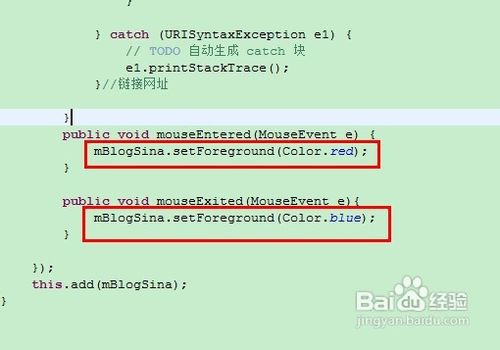
A1: 可以使用HTML标签<html>和<font>来设置按钮文本的颜色和样式,以下代码将按钮文本设置为蓝色:
JButton button = new JButton("<html><font color='blue'>点击这里访问网站</font></html>");
Q2: 如何在Java按钮中设置超链接,使其在按钮被点击时打开一个新的浏览器窗口?
A2: 可以使用Desktop.getDesktop().browse()方法来打开一个新的浏览器窗口,以下代码示例展示了如何实现:
button.addActionListener(e > { try { Desktop.getDesktop().browse(new URL("http://www.example.com").toURI()); } catch (Exception ex) { ex.printStackTrace(); } });
















