上一篇
如何快速设置htmlhint?
安装HTMLHint依赖后创建配置文件,定义规则(如标签闭合、属性格式等),通过命令行或构建工具运行即可检查HTML代码规范,支持自定义规则集满足项目需求。
什么是 HTMLHint?
HTMLHint 是一款开源的 HTML 代码质量检测工具,可自动检查语法错误、编码规范及可访问性问题,它能帮助开发者:
- 提升代码质量:避免标签未闭合、属性错误等基础问题
- 统一团队规范:强制遵守预设的 HTML 编写规则
- 优化 SEO:识别影响搜索引擎抓取的结构问题
安装 HTMLHint
方法 1:通过 npm(推荐)
# 全局安装(适合所有项目) npm install -g htmlhint # 或局部安装(仅当前项目) npm install htmlhint --save-dev
方法 2:浏览器扩展
- Chrome 用户:安装 HTMLHint 扩展
- 实时检测网页 HTML 代码
配置步骤(3 种方式)
创建配置文件 .htmlhintrc
在项目根目录新建文件,内容示例:
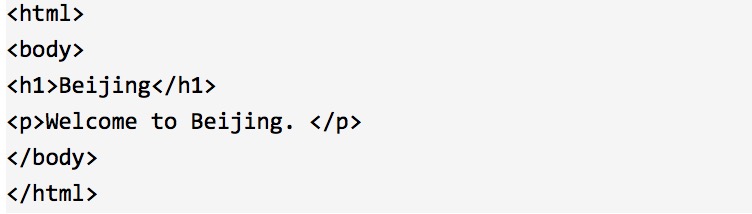
{ "tagname-lowercase": true, // 强制标签小写 "attr-lowercase": true, // 强制属性小写 "attr-value-double-quotes": true, // 属性值用双引号 "id-unique": true, // ID 必须唯一 "src-not-empty": true, // 禁止空 src 属性 "alt-require": true, // 图片必须包含 alt 属性 "space-tab-mixed-disabled": "spaces" // 缩进用空格代替 Tab }
在 package.json 中配置
{ "htmlhint": { "ignore": ["*.min.html"], // 忽略压缩文件 "rules": { "title-require": true // 强制 <title> 存在 } } }
自定义规则文件
创建 custom-rules.js:
module.exports = { "my-custom-rule": { callback: (event) => { if (event.target.tagName === "DIV" && !event.target.id) { return "DIV 标签必须包含 ID"; } return true; } } }
在 .htmlhintrc 中引用:

运行检测命令
基础用法
# 检测单个文件 htmlhint index.html # 检测整个目录 htmlhint src/**/*.html
集成到构建流程(以 webpack 为例)
- 安装插件: npm install htmlhint-webpack-plugin --save-dev
- 在 webpack.config.js 中添加: const HTMLHintWebpackPlugin = require('htmlhint-webpack-plugin'); module.exports = { plugins: [new HTMLHintWebpackPlugin()] };
编辑器集成
VS Code
- 安装扩展 HTMLHint
- 配置规则(设置 → 搜索 htmlhint.options): "htmlhint.options": { "tagname-lowercase": true, "attr-value-not-empty": true }
Sublime Text
- 通过 Package Control 安装 SublimeLinter-htmlhint
- 确保已全局安装 HTMLHint(见安装步骤)
常见规则说明
| 规则名称 | 作用 | 推荐值 |
|---|---|---|
| id-unique | 禁止重复 ID | true |
| alt-require | 图片需 alt 属性(SEO 友好) | true |
| href-abs-or-rel | 链接用绝对或相对路径 | "abs" |
| doctype-first | 文档首行为 DOCTYPE | true |
| spec-char-escape | 转义特殊字符如 & | true |
完整规则列表见 官方文档
故障排除
-
规则不生效
- 检查配置文件路径是否正确
- 确保文件名是 .htmlhintrc(注意开头有点)
-
误报问题
在文件中添加忽略注释:
<!-- htmlhint attr-value-not-empty:false --> <input type="text" disabled>
-
命令行报错
升级到最新版本:
npm update htmlhint -g - 团队协作:将 .htmlhintrc 提交到 Git 仓库,统一团队规范
- 持续集成:在 CI/CD 流程中加入 HTMLHint 检测(示例命令): htmlhint --config .htmlhintrc src/ || exit 1 # 失败则终止流程
- 渐进式采用:初期仅启用关键规则(如 alt-require),逐步增加
- 官方文档:HTMLHint User Guide
- 规则配置参考:GitHub – htmlhint/HTMLHint
- Webpack 集成方案:htmlhint-webpack-plugin
最佳实践建议
通过规范化的 HTML 代码,可提升页面加载性能、SEO 评分及可访问性,减少后期维护成本。
引用说明