
上一篇
VB编程中,如何高效查询及展示数据库表信息?
在Visual Basic(VB)中查询并显示数据库的表通常涉及到以下几个步骤:连接数据库、执行查询、处理查询结果以及显示数据,以下是一个详细的步骤说明,包括代码示例。
步骤1:设置数据库连接
您需要设置与数据库的连接,在VB中,您可以使用ADO.NET(ActiveX Data Objects .NET)来连接数据库,以下是连接SQL Server数据库的一个例子:
步骤2:执行查询
一旦连接建立,您就可以执行SQL查询来检索表的数据,以下是一个查询示例,它将检索名为Employees的表中的所有记录:
Imports System.Data.SqlClient Dim query As String = "SELECT * FROM Employees" Using command As New SqlCommand(query, connection) Using reader As SqlDataReader = command.ExecuteReader() ' 处理查询结果 End Using End Using
步骤3:处理查询结果
查询结果通常以SqlDataReader对象的形式返回,您可以使用SqlDataReader对象的Read方法来遍历结果集,并访问每行的数据,以下是如何处理查询结果的示例:
步骤4:显示数据
在VB中,您可以使用多种控件来显示数据,如列表框(ListBox)、数据网格(DataGridView)或文本框(TextBox),以下是如何使用列表框显示查询结果的示例:
Imports System.Data.SqlClient ' 假设有一个ListBox控件名为ListBox1 Dim query As String = "SELECT * FROM Employees" Using connection As New SqlConnection(connectionString) Using command As New SqlCommand(query, connection) connection.Open() Using reader As SqlDataReader = command.ExecuteReader() While reader.Read() ListBox1.Items.Add(String.Format("{0}, {1}, {2}, {3}", _ reader("ID"), reader("Name"), reader("Age"), reader("Department"))) End While End Using End Using End Using
FAQs
Q1:如何处理查询结果中的空值?
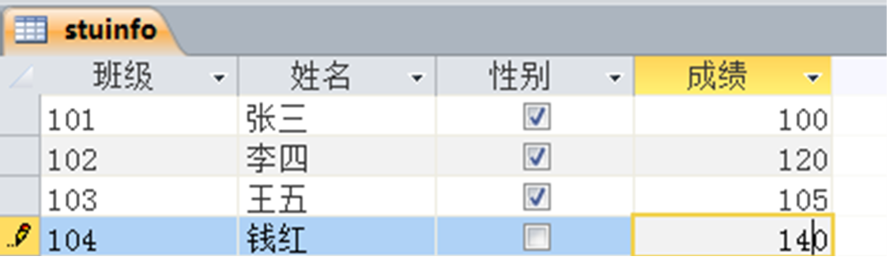
A1: 当查询结果中的某些字段可能为空时,您可以使用IsDBNull方法来检查这些值,以下是如何修改上述代码以处理空值的示例:
Imports System.Data.SqlClient While reader.Read() Dim id As Integer = IfDBNull(reader("ID"), 0) Dim name As String = IfDBNull(reader("Name"), "N/A") Dim age As Integer = IfDBNull(reader("Age"), 0) Dim department As String = IfDBNull(reader("Department"), "N/A") ListBox1.Items.Add(String.Format("{0}, {1}, {2}, {3}", id, name, age, department)) End While Function IfDBNull(value As Object, defaultValue As Object) As Object If value Is DBNull.Value Then Return defaultValue Else Return value End If End Function
Q2:如何优化数据库查询性能?
A2: 优化数据库查询性能通常涉及以下几个方面:
- 确保数据库表已经正确索引。
- 避免使用SELECT *,只选择需要的列。
- 使用参数化查询来防止SQL载入攻破并提高性能。
- 对于大型数据集,考虑使用分页技术来减少一次性加载的数据量。
- 定期分析和优化数据库性能。















