
上一篇
Java实现邮箱验证登录页面的具体步骤和技巧有哪些?
在Java中实现邮箱验证登录页面需要以下几个步骤:
- 创建前端页面
- 后端处理邮箱验证
- 连接数据库
- 实现登录功能
以下是一个详细的步骤说明:
创建前端页面
我们需要创建一个HTML页面,用于展示邮箱验证登录表单,以下是HTML代码示例:
<!DOCTYPE html> <html> <head>邮箱验证登录</title> </head> <body> <h1>邮箱验证登录</h1> <form action="login" method="post"> <label for="email">邮箱:</label> <input type="email" id="email" name="email" required> <button type="submit">发送验证码</button> </form> </body> </html>
后端处理邮箱验证
在Java后端,我们需要处理发送验证码的逻辑,以下是使用Java Servlet实现发送验证码的示例代码:
@WebServlet("/sendCode") public class SendCodeServlet extends HttpServlet { protected void doPost(HttpServletRequest request, HttpServletResponse response) throws ServletException, IOException { String email = request.getParameter("email"); // 发送验证码到邮箱 String code = generateCode(); // 存储验证码到数据库 saveCodeToDatabase(email, code); // 发送邮件 sendEmail(email, "验证码:" + code); response.getWriter().print("验证码已发送至您的邮箱,请查收!"); } private String generateCode() { // 生成验证码 return "123456"; } private void saveCodeToDatabase(String email, String code) { // 存储验证码到数据库 } private void sendEmail(String email, String content) { // 发送邮件 } }
连接数据库
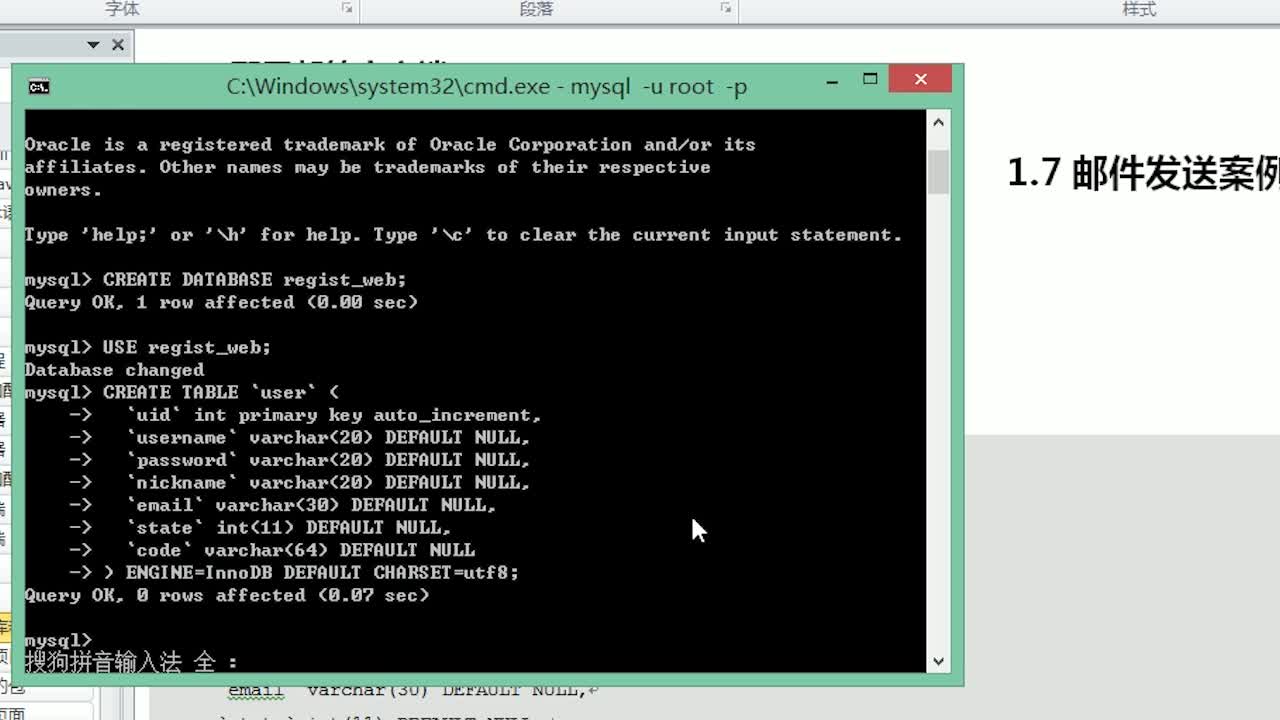
在发送验证码之前,我们需要将验证码存储到数据库中,以下是使用JDBC连接数据库的示例代码:
public class DatabaseUtil { public static Connection getConnection() throws SQLException { String url = "jdbc:mysql://localhost:3306/your_database"; String username = "your_username"; String password = "your_password"; return DriverManager.getConnection(url, username, password); } }
实现登录功能
在用户输入验证码并提交后,我们需要在后端验证验证码是否正确,以下是验证码验证的示例代码:
@WebServlet("/login") public class LoginServlet extends HttpServlet { protected void doPost(HttpServletRequest request, HttpServletResponse response) throws ServletException, IOException { String email = request.getParameter("email"); String code = request.getParameter("code"); String storedCode = getCodeFromDatabase(email); if (code.equals(storedCode)) { // 登录成功 request.getSession().setAttribute("user", email); response.sendRedirect("success.jsp"); } else { // 验证码错误 response.getWriter().print("验证码错误!"); } } private String getCodeFromDatabase(String email) { // 从数据库获取验证码 return "123456"; } }
FAQs
Q1:如何实现发送验证码到邮箱的功能?
A1:可以使用JavaMail API实现发送验证码到邮箱的功能,以下是发送邮件的示例代码:
private void sendEmail(String email, String content) { Properties properties = new Properties(); properties.put("mail.smtp.auth", "true"); properties.put("mail.smtp.starttls.enable", "true"); properties.put("mail.smtp.host", "smtp.example.com"); properties.put("mail.smtp.port", "587"); Session session = Session.getInstance(properties, new javax.mail.Authenticator() { protected PasswordAuthentication getPasswordAuthentication() { return new PasswordAuthentication("your_email@example.com", "your_password"); } }); try { Message message = new MimeMessage(session); message.setFrom(new InternetAddress("your_email@example.com")); message.setRecipients(Message.RecipientType.TO, InternetAddress.parse(email)); message.setSubject("验证码"); message.setText(content); Transport.send(message); } catch (MessagingException e) { e.printStackTrace(); } }
Q2:如何实现登录功能?
A2:登录功能主要涉及到验证用户输入的验证码是否与数据库中存储的验证码一致,如果一致,则表示登录成功;否则,登录失败,以下是验证码验证的示例代码:
private String getCodeFromDatabase(String email) { // 从数据库获取验证码 return "123456"; }















