
上一篇
HTML中如何添加具有背景设计的按钮效果?
在HTML中添加背景按钮可以通过多种方式实现,以下是一些常用的方法:
使用CSS样式添加背景按钮
-
使用纯CSS
使用纯CSS可以创建一个简单的背景按钮,以下是一个示例:
<button class="bgbutton">点击我</button> .bgbutton { backgroundcolor: #4CAF50; /* 绿色背景 */ color: white; /* 白色文字 */ padding: 15px 32px; /* 内边距 */ textalign: center; /* 文字居中 */ textdecoration: none; /* 去除下划线 */ display: inlineblock; /* 块级元素 */ fontsize: 16px; /* 字体大小 */ margin: 4px 2px; /* 外边距 */ cursor: pointer; /* 鼠标样式 */ border: none; /* 无边框 */ }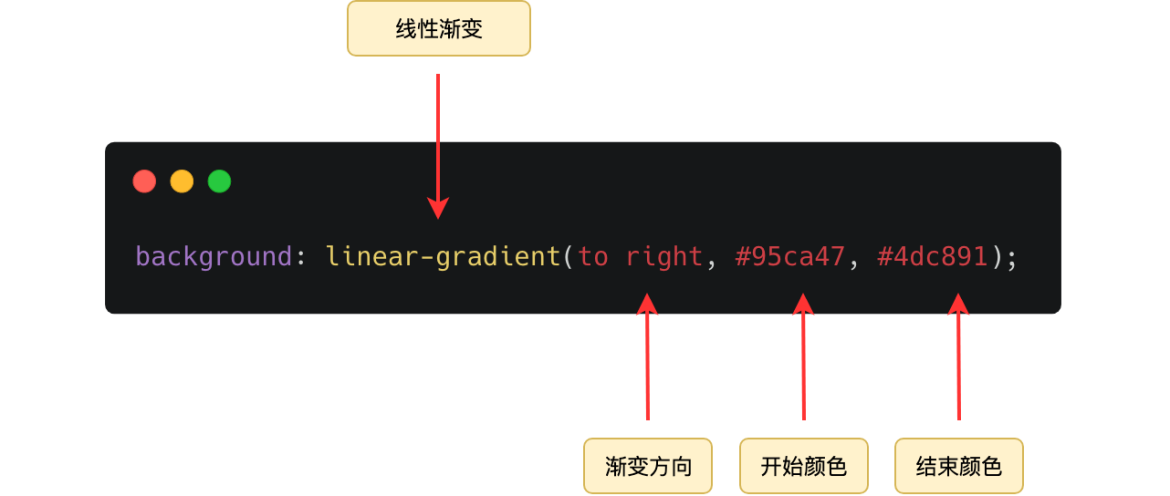
-
使用CSS伪元素添加阴影
使用CSS伪元素 after 可以为按钮添加阴影效果:
.bgbutton { backgroundcolor: #4CAF50; color: white; padding: 15px 32px; textalign: center; textdecoration: none; display: inlineblock; fontsize: 16px; margin: 4px 2px; cursor: pointer; border: none; position: relative; overflow: hidden; } .bgbutton:after { content: ''; position: absolute; top: 0; left: 0; right: 0; bottom: 0; backgroundcolor: #45a049; zindex: 1; transform: scale(0); transition: transform 0.3s ease; } .bgbutton:hover:after { transform: scale(1); }
使用HTML和JavaScript添加背景按钮
-
使用HTML和JavaScript动态添加背景
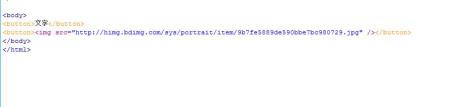
通过JavaScript,可以在按钮上动态添加背景效果:
<button id="dynamicbutton">点击我</button> document.getElementById('dynamicbutton').addEventListener('mouseover', function() { this.style.backgroundColor = '#4CAF50'; this.style.color = 'white'; }); document.getElementById('dynamicbutton').addEventListener('mouseout', function() { this.style.backgroundColor = ''; this.style.color = ''; });
使用HTML和CSS3动画添加背景按钮
-
使用CSS3动画添加背景效果
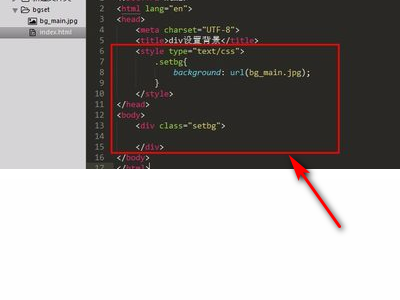
使用CSS3动画可以为按钮添加背景渐变效果:
方法 优点 缺点 纯CSS 简单易用,不需要JavaScript 功能有限,可能需要额外的CSS技巧 HTML和JavaScript 功能强大,可动态添加效果 需要编写JavaScript代码 CSS3动画 动画效果丰富,无需JavaScript 可能对性能有影响 FAQs
Q1:如何使背景按钮在鼠标悬停时改变颜色?
A1: 您可以使用CSS伪类 hover 来改变背景按钮的颜色,以下是一个示例:
.bgbutton { backgroundcolor: #4CAF50; color: white; /* 其他样式 */ } .bgbutton:hover { backgroundcolor: #45a049; }
Q2:如何使用CSS创建一个圆形背景按钮?
A2: 您可以使用CSS的 borderradius 属性将按钮设置为圆形,以下是一个示例:
.bgbutton { backgroundcolor: #4CAF50; color: white; padding: 15px 32px; textalign: center; textdecoration: none; display: inlineblock; fontsize: 16px; margin: 4px 2px; cursor: pointer; border: none; borderradius: 50%; /* 设置为圆形 */ /* 其他样式 */ }















