上一篇
HTML中怎么简单轻松改字体?
在HTML5中通过CSS修改字体,使用font-family属性指定字体名称(如”Arial”),font-size调整大小,font-weight控制粗细,可使用内联样式、style标签或外部CSS文件实现,支持引入网络字体(如Google Fonts)或自定义字体文件。
在HTML5中更改字体主要通过CSS实现,结合现代Web标准提供灵活的方法,以下是详细操作指南:
基础字体设置方法
-
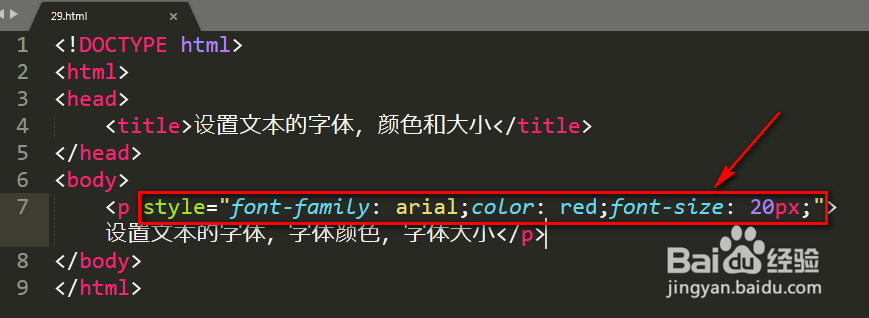
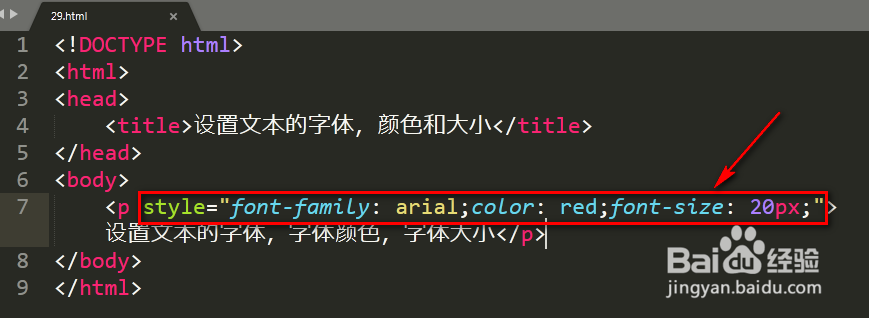
内联样式(直接写在HTML标签内)
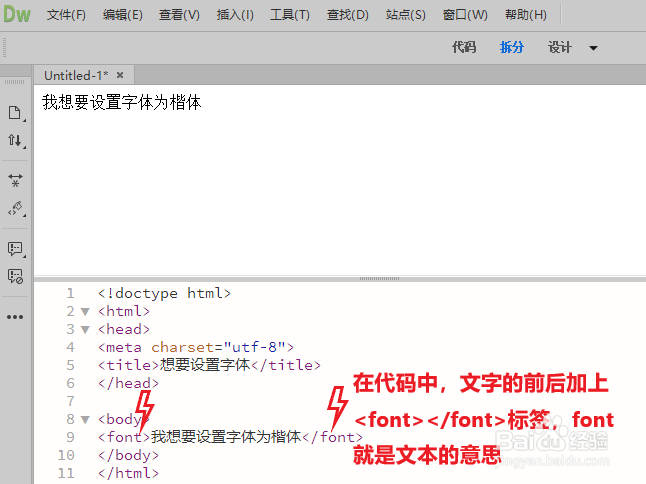
- font-family:优先使用Arial,若无则用系统无衬线字体
- font-size:设置绝对单位(px)或相对单位(rem/em)
-
内部样式表(在<style>标签中定义)
<head> <style> .custom-text { font-family: "Microsoft YaHei", "Segoe UI", sans-serif; font-weight: bold; font-style: italic; } </style> </head> <body> <p class="custom-text">微软雅黑优先显示的文本</p> </body> -
外部CSS文件(最佳实践)
在styles.css文件中:
body { font-family: 'Helvetica Neue', Arial, sans-serif; line-height: 1.6; /* 设置行高 */ } h1 { font-size: 2.5rem; /* 响应式单位 */ color: #333; }HTML中链接:
<link rel="stylesheet" href="styles.css">
- 访问Google Fonts
- 选择字体(如”Roboto”),复制链接代码: <head> <link href="https://fonts.googleapis.com/css2?family=Roboto:wght@400;700&display=swap" rel="stylesheet"> </head>
- 在CSS中调用: body { font-family: 'Roboto', sans-serif; }
- 准备字体文件(.woff2格式最佳)
- 在CSS中添加: @font-face { font-family: 'MyCustomFont'; src: url('fonts/myfont.woff2') format('woff2'), url('fonts/myfont.woff') format('woff'); font-weight: normal; font-style: normal; } .custom-area { font-family: 'MyCustomFont', serif; }
-
字体回退(Fallback)
始终提供通用字体族作为备选:
-
性能优化
- 限制自定义字体数量(通常不超过3种)
- 使用font-display: swap;避免布局偏移 @font-face { font-display: swap; /* 文本先用备用字体显示 */ }
-
版权合规
- 商业字体需授权(如思源黑体可免费商用)
- 推荐开源字体:Google Fonts、Adobe Fonts(含免费库)
-
响应式适配
h1 { font-size: clamp(1.8rem, 4vw, 2.5rem); /* 根据视口动态调整 */ }
- 提供多格式字体文件: @font-face { src: url('font.woff2') format('woff2'), /* 现代浏览器 */ url('font.woff') format('woff'); /* 旧浏览器 */ }
- 使用CSS变量增强维护性: :root { --main-font: "Segoe UI", system-ui; } body { font-family: var(--main-font); }
- 优先使用系统字体提升加载速度(如system-ui)
- 移动端推荐:-apple-system, BlinkMacSystemFont(适配iOS/macOS)
- 中文字体优化: body { font-family: "PingFang SC", "Hiragino Sans GB", "Microsoft YaHei", sans-serif; text-rendering: optimizeLegibility; /* 增强渲染 */ }
- 通过@media实现响应式: @media (max-width: 768px) { p { font-size: 0.9rem; } }
- Google Fonts字体服务(https://fonts.google.com)
- MDN Web文档字体指南(https://developer.mozilla.org/zh-CN/docs/Web/CSS/font)
- 字体格式兼容性数据参考CanIUse(https://caniuse.com/woff2)
- 开源字体库推荐Adobe Fonts(https://fonts.adobe.com)
浏览器兼容方案
引用说明:

使用Web自定义字体
方法1:通过Google Fonts(推荐)
方法2:使用@font-face(自托管字体)
关键属性详解
| 属性 | 作用 | 示例值 |
|---|---|---|
| font-family | 字体栈(优先顺序) | "Arial", "Helvetica", sans-serif |
| font-size | 字号 | 16px, 2rem, 120% |
| font-weight | 字重 | normal, bold, 700 |
| font-style | 样式 | italic, oblique |
| line-height | 行间距 | 5(无单位倍数) |
| color | 字体颜色 | #333333, rgb(51,51,51) |
专业注意事项