上一篇
pip安装总报错怎么办?一键解决所有报错问题
当使用 pip 安装 Python 包时,常见的报错及解决方法如下,以下按错误类型分类,提供解决方案:
权限不足(Permission Denied)
报错示例:
ERROR: Could not install packages due to an OSError: [Errno 13] Permission denied: '/usr/local/lib/python3.8/site-packages/requests'
原因:在系统目录安装包需要管理员权限。
解决:
- 方法 1:使用 --user 参数(推荐) pip install --user 包名
- 方法 2:使用虚拟环境(最佳实践) python -m venv myenv # 创建虚拟环境 source myenv/bin/activate # Linux/Mac 激活 myenvScriptsactivate # Windows 激活 pip install 包名 # 在虚拟环境中安装
- 方法 3:以管理员权限安装(不推荐) sudo pip install 包名 # Linux/Mac pip install --user 包名 # Windows(以管理员身份运行CMD)
网络问题(连接超时/下载失败)
报错示例:
WARNING: Retrying (Retry(total=4, connect=None, read=None, redirect=None, status=None)) after connection broken by 'ConnectTimeoutError'
原因:网络不稳定或 PyPI 源访问慢。
解决:
- 方法 1:使用国内镜像源(如清华源、阿里云) pip install -i https://pypi.tuna.tsinghua.edu.cn/simple 包名
- 方法 2:设置默认镜像源
创建 ~/.pip/pip.conf(Linux/Mac)或 C:Users用户名pippip.ini(Windows),写入: [global] index-url = https://pypi.tuna.tsinghua.edu.cn/simple trusted-host = pypi.tuna.tsinghua.edu.cn
- 方法 3:添加超时参数 pip install --default-timeout=1000 包名
依赖包冲突
报错示例:

原因:多个包依赖同一库的不同版本。
解决:
- 方法 1:使用虚拟环境隔离项目依赖(推荐)。
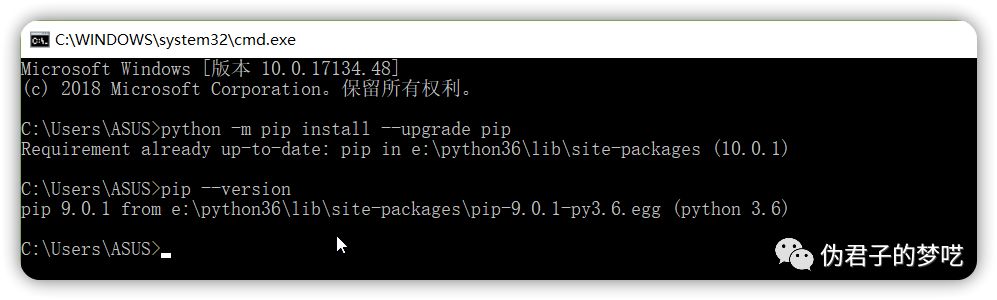
- 方法 2:尝试升级 pip 并重试: pip install --upgrade pip pip install 包名
- 方法 3:手动协调依赖版本(需检查错误日志中的冲突库名): pip install 冲突库名==兼容版本号
缺少编译环境(常见于需编译的包,如 psycopg2)
报错示例:
error: Microsoft Visual C++ 14.0 or greater is required. Get it with "Microsoft C++ Build Tools"
解决:
- Windows:安装 Microsoft C++ Build Tools。
- Linux:安装开发工具链(以 Ubuntu 为例): sudo apt-get install build-essential python3-dev
- Mac:安装 Xcode 命令行工具: xcode-select --install
Python 版本不兼容
报错示例:
ERROR: Package requires Python >=3.9 but running Python 3.8
解决:
- 升级 Python 版本(推荐 Python 3.9+)。
- 或寻找兼容旧版本的包: pip install 包名==低版本号
包名拼写错误/包不存在
报错示例:
ERROR: Could not find a version that satisfies the requirement 错误包名
解决:
- 检查包名拼写(区分大小写)。
- 在 PyPI 搜索确认包名。
SSL 证书错误(常见于代理环境)
报错示例:
pip is configured with locations that require TLS/SSL, however the ssl module in Python is not available.
解决:
- 更新 Python 或重装 Python 并勾选 Install certificates(Windows)。
- 临时忽略 SSL 验证(不推荐): pip install --trusted-host pypi.org --trusted-host files.pythonhosted.org 包名
通用排查步骤
- 升级 pip: pip install --upgrade pip
- 查看详细错误: pip install -v 包名 # -v 参数显示详细日志
- 清理缓存: pip cache purge
附:常用命令速查
| 问题类型 | 解决命令 |
|---|---|
| 权限问题 | pip install --user 包名 或使用虚拟环境 |
| 网络超时 | pip install -i https://pypi.tuna.tsinghua.edu.cn/simple 包名 |
| 依赖冲突 | pip install --upgrade pip 或使用虚拟环境 |
| 缺少编译环境 | 安装系统编译工具(如 build-essential / MSVC) |
| Python 版本过低 | 升级 Python 或指定兼容版本:pip install 包名==版本号 |
如问题仍未解决,请提供完整的报错信息(复制终端输出),以便进一步诊断。