上一篇
Java如何快速获取当前路径
在 Java中获取当前路径有两种常用方式:,1. 获取工作目录(项目根路径): System.getProperty("user.dir"),2. 获取类所在目录: YourClass.class.getProtectionDomain().getCodeSource().getLocation().getPath()(需替换YourClass为实际类名)
获取当前工作目录(常用)
当前工作目录是启动JVM时所在的路径,通过系统属性 user.dir 获取:
String currentPath = System.getProperty("user.dir"); System.out.println("当前工作目录: " + currentPath);
示例输出:
当前工作目录: /Users/yourname/projects
适用场景:命令行操作、文件读写等。
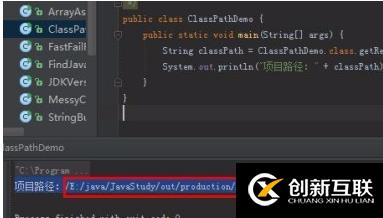
获取类文件所在目录
从类加载器获取(推荐)
// 获取当前类的class文件所在目录(含包路径) String classPath = YourClassName.class.getResource("").getPath(); System.out.println("类所在目录: " + classPath); // 获取class文件根目录(不含包路径) String rootClassPath = YourClassName.class.getClassLoader().getResource("").getPath(); System.out.println("类根目录: " + rootClassPath);
注意事项:
- YourClassName 需替换为实际类名。
- 路径中的空格会被转为 %20,可用 URLDecoder.decode(classPath, "UTF-8") 解码。
从ProtectionDomain获取(需权限)
String jarPath = YourClassName.class .getProtectionDomain() .getCodeSource() .getLocation() .getPath(); System.out.println("JAR或类所在路径: " + jarPath);
适用场景:定位JAR包位置或编译后的class目录。
获取JAR文件所在目录
当程序打包为JAR运行时:
String jarDir = new File(YourClassName.class .getProtectionDomain() .getCodeSource() .getLocation() .toURI()) .getParent(); System.out.println("JAR所在目录: " + jarDir);
注意事项:需处理异常 URISyntaxException。
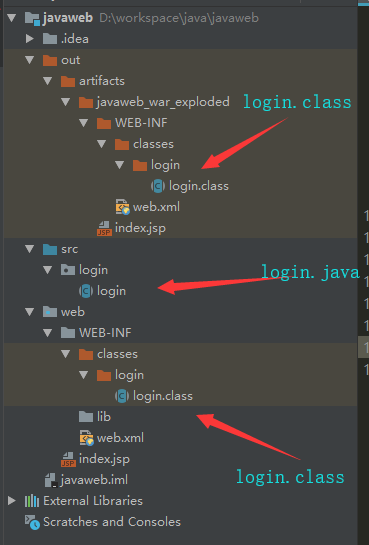
不同场景下的路径对比
| 方法 | 路径示例 | 适用场景 |
|---|---|---|
| System.getProperty("user.dir") | /project_root | 通用文件操作 |
| class.getResource("") | /project_root/target/classes/com/ | 获取类所在包路径 |
| classLoader.getResource("") | /project_root/target/classes/ | 获取资源文件根目录 |
| 获取JAR目录 | /project_root/target/ | 打包后程序获取外部配置文件 |
关键注意事项
-
路径格式问题:
- 使用 Paths.get() 或 new File() 处理路径分隔符(Windows/Linux兼容)。
- 解码URL编码:URLDecoder.decode(path, StandardCharsets.UTF_8)。
-
IDE与生产环境差异:
- IDE中 user.dir 通常是项目根目录。
- 生产环境取决于启动脚本的工作目录。
-
安全性:
- 使用 getProtectionDomain() 需配置安全策略(如无权限返回 null)。
- Oracle官方文档:System.getProperty()
- Java API:Class.getResource()
- Java安全指南:ProtectionDomain
引用说明参考以下权威来源:
通过上述方法,可准确适配不同场景下的路径获取需求,实际开发中建议优先使用 System.getProperty("user.dir") 或类加载器方案。