
上一篇
如何在HTML中巧妙设置图片作为盒子元素的背景图片?
在HTML中,将图片设置为盒子的背景可以通过CSS样式来实现,以下是一些常用的方法:
使用CSS的backgroundimage属性
- 设置背景图片:使用backgroundimage属性将图片设置为盒子的背景。
- 设置背景重复:如果需要图片在盒子的背景上重复显示,可以使用backgroundrepeat属性。
- 设置背景位置:使用backgroundposition属性来控制图片在盒子中的位置。
- 设置背景大小:使用backgroundsize属性来控制图片的大小。
以下是一个示例代码:
<!DOCTYPE html> <html lang="en"> <head> <meta charset="UTF8">Background Image Box</title> <style> .box { width: 300px; height: 200px; backgroundimage: url('path_to_your_image.jpg'); backgroundrepeat: norepeat; backgroundposition: center center; backgroundsize: cover; } </style> </head> <body> <div class="box"></div> </body> </html>
使用CSS的background属性
- 设置背景图片:使用background属性一次性设置背景图片、重复、位置和大小。
- 设置背景重复:background属性中的repeat值可以是norepeat、repeat、repeatx或repeaty。
- 设置背景位置:background属性中的position值可以是top left、top center、top right、center left、center center、center right、bottom left、bottom center或bottom right。
- 设置背景大小:background属性中的size值可以是cover、contain、auto或具体的像素值。
以下是一个示例代码:
使用CSS的background属性和伪元素
- 设置背景图片:使用background属性将图片设置为盒子的背景。
- 添加伪元素:使用before或after伪元素来添加额外的样式,如边框、阴影等。
- 设置伪元素背景:使用background属性为伪元素设置背景图片。
以下是一个示例代码:
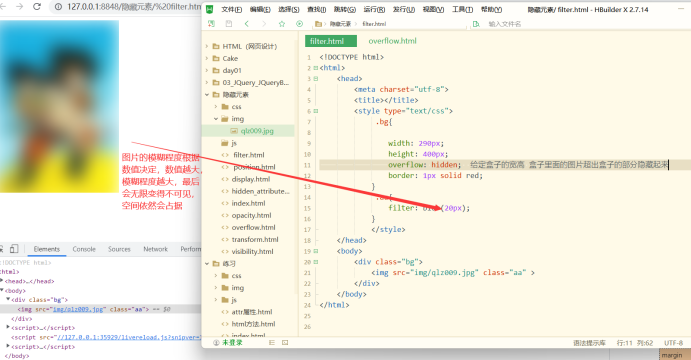
<!DOCTYPE html> <html lang="en"> <head> <meta charset="UTF8">Background Image Box with Pseudoelement</title> <style> .box { width: 300px; height: 200px; position: relative; overflow: hidden; } .box:before { content: ''; position: absolute; top: 0; left: 0; width: 100%; height: 100%; background: url('path_to_your_image.jpg') norepeat center center; backgroundsize: cover; zindex: 1; } </style> </head> <body> <div class="box"></div> </body> </html>
FAQs
Q1:如何让背景图片只显示一次,不重复?
A1: 在CSS中,你可以使用backgroundrepeat属性设置为norepeat来防止背景图片重复。
Q2:如何让背景图片始终居中显示?
A2: 在CSS中,你可以使用backgroundposition属性设置为center center来确保背景图片始终在盒子的中心位置显示。















