上一篇
如何在HTML中计算时间差?
在 HTML中计算时间差需借助 JavaScript,通过创建Date对象获取时间戳,相减得到毫秒差,再转换为秒/分/时/天,注意处理时区问题,建议统一使用UTC时间或时间戳进行计算确保准确性。
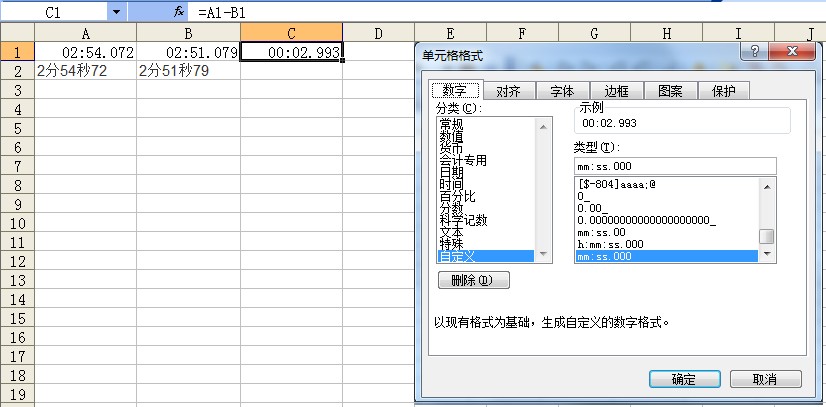
在网页开发中,计算时间差是常见需求,例如倒计时、用户在线时长或事件间隔统计。HTML 本身不具备时间计算能力,需结合 JavaScript 实现,以下是专业实现方案:
核心原理
通过 JavaScript 的 Date 对象获取时间戳(毫秒数),计算差值后转换为天/小时/分钟/秒:
完整计算流程
获取时间戳差值
function getTimeDiff(start, end) { return new Date(end) - new Date(start); // 单位:毫秒 }
转换毫秒为可读格式
function formatTimeDiff(milliseconds) { // 基础单位换算 const seconds = Math.floor(milliseconds / 1000); const minutes = Math.floor(seconds / 60); const hours = Math.floor(minutes / 60); const days = Math.floor(hours / 24); // 取余数得到精确值 return { days: days, hours: hours % 24, minutes: minutes % 60, seconds: seconds % 60 }; } // 使用示例 const diff = getTimeDiff("2025-01-01", "2025-01-10"); console.log(formatTimeDiff(diff)); // 输出: {days: 9, hours: 0, minutes: 0, seconds: 0}
实际应用场景
场景1:倒计时计时器
<div id="countdown">距离2025年还剩: <span id="timer"></span></div> <script> function updateCountdown() { const targetDate = new Date("2025-01-01"); const now = new Date(); const diff = targetDate - now; const {days, hours, minutes, seconds} = formatTimeDiff(diff); document.getElementById("timer").innerHTML = `${days}天 ${hours}时 ${minutes}分 ${seconds}秒`; } setInterval(updateCountdown, 1000); // 每秒更新 updateCountdown(); // 立即执行 </script>
场景2:用户停留时间统计
let startTime = new Date(); // 页面打开时记录 window.addEventListener("beforeunload", () => { const endTime = new Date(); const stayTime = formatTimeDiff(endTime - startTime); alert(`您停留了:${stayTime.minutes}分${stayTime.seconds}秒`); });
关键注意事项
-
时区问题
new Date("2025-01-01") 可能因浏览器时区导致差异,建议使用 UTC 时间或明确指定时区:
-
闰秒与夏令时
系统时间自动处理闰秒,但夏令时需人工判断(建议使用库如 moment-timezone)。
-
性能优化
高频更新时(如毫秒级倒计时),使用 requestAnimationFrame 替代 setInterval。
-
负数处理
当结束时间早于开始时间时,返回负值,可通过 Math.abs() 转换:
const diff = Math.abs(new Date(end) - new Date(start));
- Day.js(轻量) dayjs("2025-01-10").diff("2025-01-01", "day"); // 输出: 9
- Luxon(时区支持强大) DateTime.fromISO("2025-01-10").diff(DateTime.fromISO("2025-01-01"), "days").days;
- 用 Date 对象转为时间戳
- 计算毫秒差值
- 转换为可读单位
推荐工具库
复杂场景建议使用成熟库:
HTML 仅负责内容呈现,时间计算必须通过 JavaScript 实现,核心步骤:
实际开发中需注意时区、性能和极端值处理,复杂业务推荐使用 Day.js 或 Luxon 等库提升效率。
引用说明 参考 MDN Web Docs Date 文档,并遵循 ECMAScript 2025 标准,时效性工具库信息来自各项目官方文档(截至2025年7月)。