
上一篇
Java邮箱服务器配置文件有哪些关键设置步骤?
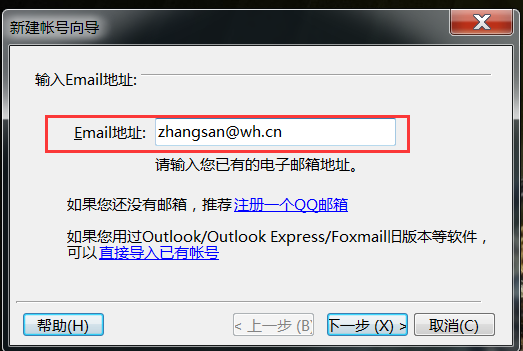
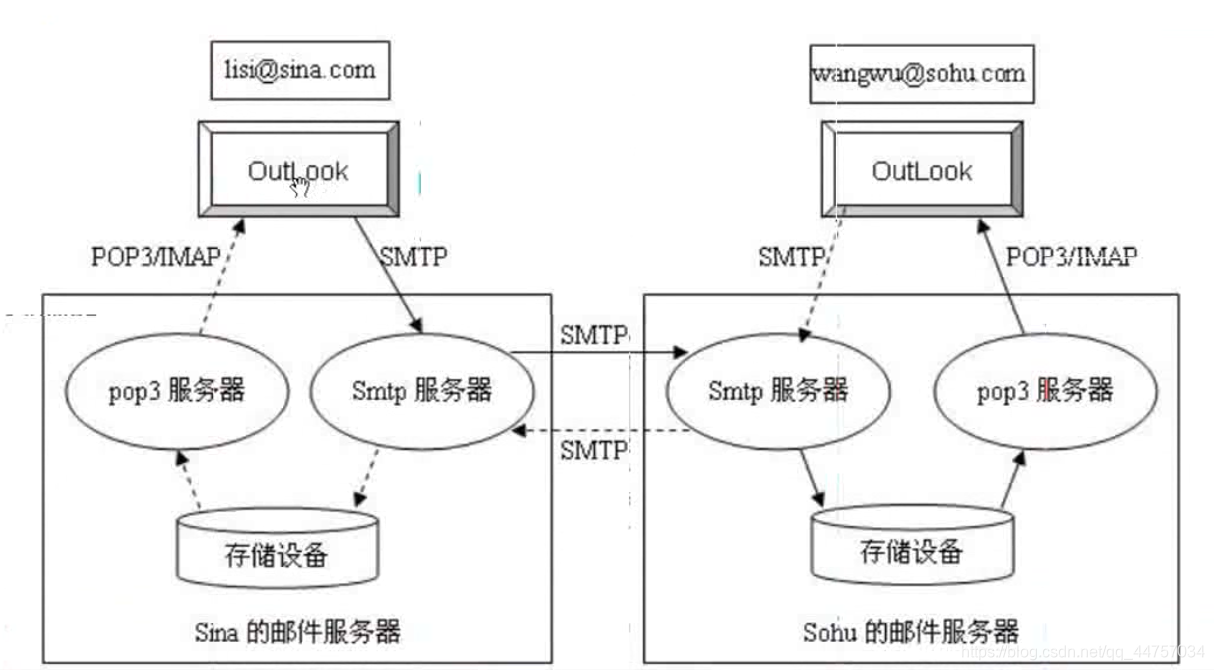
Java邮箱服务器配置文件主要包括以下几个部分:SMTP服务器配置、IMAP/POP3服务器配置、SSL/TLS配置、邮件账户配置等,以下是对这些配置文件的详细说明:
SMTP服务器配置
| 配置项 | 说明 | 示例 |
|---|---|---|
| smtp.host | SMTP服务器地址 | smtp.example.com |
| smtp.port | SMTP服务器端口 | 25(或465,使用SSL时) |
| smtp.auth | 是否启用认证 | true |
| smtp.username | SMTP服务器用户名 | user@example.com |
| smtp.password | SMTP服务器密码 | password |
IMAP/POP3服务器配置
| 配置项 | 说明 | 示例 |
|---|---|---|
| imap.host | IMAP服务器地址 | imap.example.com |
| imap.port | IMAP服务器端口 | 143(或993,使用SSL时) |
| imap.auth | 是否启用认证 | true |
| imap.username | IMAP服务器用户名 | user@example.com |
| imap.password | IMAP服务器密码 | password |
| pop3.host | POP3服务器地址 | pop3.example.com |
| pop3.port | POP3服务器端口 | 110(或995,使用SSL时) |
| pop3.auth | 是否启用认证 | true |
| pop3.username | POP3服务器用户名 | user@example.com |
| pop3.password | POP3服务器密码 | password |
SSL/TLS配置
| 配置项 | 说明 | 示例 |
|---|---|---|
| ssl.enable | 是否启用SSL | true |
| ssl.port | SSL端口 | 465(SMTP)或993(IMAP)或995(POP3) |
| tls.enable | 是否启用TLS | true |
| tls.port | TLS端口 | 587(SMTP)或993(IMAP)或995(POP3) |
邮件账户配置
| 配置项 | 说明 | 示例 |
|---|---|---|
| from.address | 发件人地址 | user@example.com |
| from.name | 发件人姓名 | John Doe |
| to.address | 收件人地址 | recipient@example.com |
| cc.address | 抄送地址 | cc@example.com |
| bcc.address | 密送地址 | bcc@example.com |
| subject | 邮件主题 | Test Email |
| body | 邮件正文 | This is a test email. |
以下是一些关于Java邮箱服务器配置的常见问题:
FAQs
Q1:如何解决Java邮箱服务器连接失败的问题?
A1:首先检查SMTP/IMAP/POP3服务器的地址、端口和认证信息是否正确,确保网络连接正常,并且服务器没有拒绝连接,可以尝试使用SSL/TLS加密连接,以增强安全性。
Q2:如何修改Java邮箱服务器的发送邮件格式?
A2:在发送邮件时,可以通过设置邮件内容类型(如”text/plain”或”text/html”)来修改邮件格式,以下代码将发送一个HTML格式的邮件:
Properties props = new Properties(); props.put("mail.smtp.auth", "true"); props.put("mail.smtp.starttls.enable", "true"); props.put("mail.smtp.host", "smtp.example.com"); props.put("mail.smtp.port", "587"); Session session = Session.getInstance(props, new javax.mail.Authenticator() { protected PasswordAuthentication getPasswordAuthentication() { return new PasswordAuthentication("user@example.com", "password"); } }); try { Message message = new MimeMessage(session); message.setFrom(new InternetAddress("user@example.com")); message.setRecipients(Message.RecipientType.TO, InternetAddress.parse("recipient@example.com")); message.setSubject("Test Email"); message.setText("<html><body><h1>This is a test email.</h1></body></html>", "UTF8", "html"); Transport.send(message); } catch (MessagingException e) { e.printStackTrace(); }
代码将发送一个HTML格式的邮件,您可以根据需要修改邮件内容和格式。















