
上一篇
如何在Java中精确查找指定文件的完整路径?
在Java中查找文件路径可以通过多种方式实现,以下是几种常见的方法:
使用File类
File类是Java中用于处理文件和文件路径的主要类,以下是如何使用File类来查找文件路径的示例:
| 方法 | 描述 | 示例 |
|---|---|---|
| File(String path) | 构造一个File对象,该对象表示由path指定的文件或目录。 | File file = new File("C:\Users\Username\Documents\file.txt"); |
| File(String parent, String child) | 构造一个File对象,该对象表示由parent和child指定的文件或目录。 | File file = new File("C:\Users\Username", "Documents\file.txt"); |
| getAbsolutePath() | 返回此抽象路径名的绝对路径字符串。 | String absPath = file.getAbsolutePath(); |
使用System类
System类提供了访问系统资源的方法,包括获取当前工作目录。
| 方法 | 描述 | 示例 |
|---|---|---|
| getProperty(String key) | 获取名为key的系统属性值。 | String userDir = System.getProperty("user.dir"); |
使用URI和URL类
URI(统一资源标识符)和URL(统一资源定位符)类可以用来处理文件路径。
| 类 | 描述 | 示例 |
|---|---|---|
| URI | 表示一个统一资源标识符。 | URI fileURI = new URI("file:///C:/Users/Username/Documents/file.txt"); |
| URL | 表示一个统一资源定位符。 | URL fileURL = new URL("file:///C:/Users/Username/Documents/file.txt"); |
使用Path类(Java 7及以上)
Path类是Java 7引入的,用于处理文件路径。
| 方法 | 描述 | 示例 |
|---|---|---|
| Paths.get(String first, String... more) | 构造一个Path对象,该对象表示由参数指定的文件或目录。 | Path path = Paths.get("C:/Users/Username/Documents/file.txt"); |
| toAbsolutePath() | 返回此Path对象的绝对路径。 | Path absPath = path.toAbsolutePath(); |
以下是一个简单的示例,演示如何使用这些方法来查找文件路径:
import java.io.File; import java.net.URI; import java.nio.file.Path; import java.nio.file.Paths; public class FilePathExample { public static void main(String[] args) { // 使用File类 File file = new File("C:\Users\Username\Documents\file.txt"); System.out.println("File path using File: " + file.getAbsolutePath()); // 使用System类 String userDir = System.getProperty("user.dir"); System.out.println("Current working directory using System: " + userDir); // 使用URI类 URI fileURI = URI.create("file:///C:/Users/Username/Documents/file.txt"); System.out.println("File path using URI: " + fileURI.getPath()); // 使用URL类 URL fileURL = URL.parse("file:///C:/Users/Username/Documents/file.txt"); System.out.println("File path using URL: " + fileURL.getPath()); // 使用Path类 Path path = Paths.get("C:/Users/Username/Documents/file.txt"); System.out.println("File path using Path: " + path.toAbsolutePath()); } }
FAQs
Q1:如何处理文件路径中的空格?
A1: 在Java中,当使用File类时,文件路径中的空格应该用双引号包围。
File file = new File("C:\Users\Username\Documents\My Documents\file.txt");
Q2:如何获取文件的相对路径?
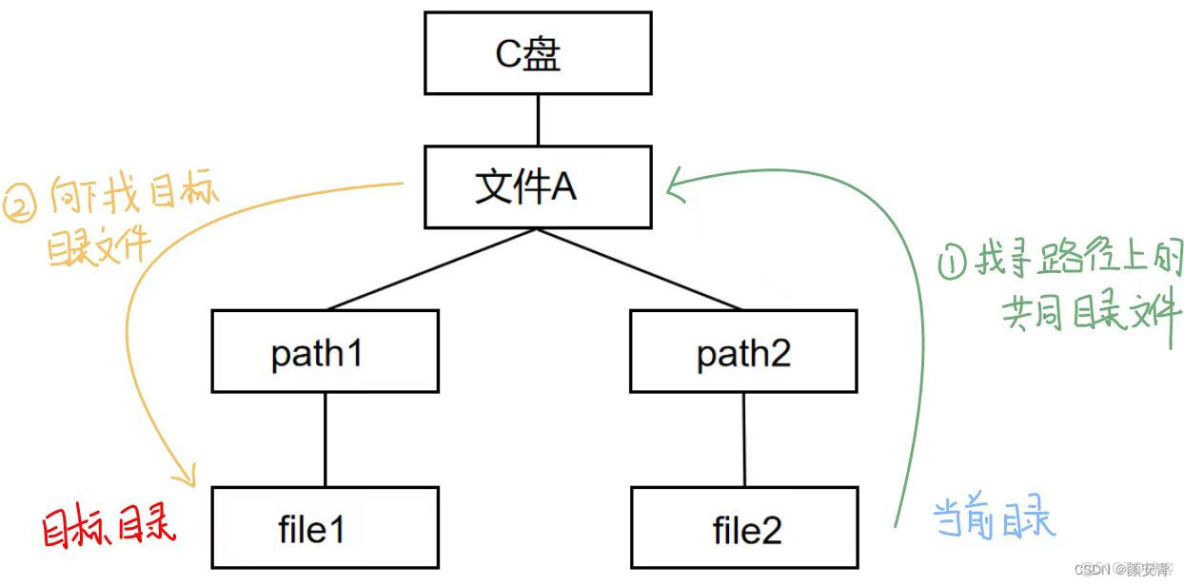
A2: 要获取文件的相对路径,可以使用File类的getCanonicalPath()方法,该方法返回规范化的路径,即去除所有和符号,并相对于当前工作目录。
File file = new File("file.txt"); System.out.println("Relative path: " + file.getCanonicalPath());
这将输出相对于当前工作目录的file.txt文件的路径。
















