上一篇
Java中如何实现选择框?
在 Java中创建选择框主要使用Swing组件: ,1. 下拉框用 JComboBox,通过 addItem()添加选项 ,2. 复选框用 JCheckBox,直接实例化并添加到容器 ,3. 单选框用 JRadioButton配合 ButtonGroup实现互斥 ,需导入 javax.swing.*包,结合布局管理器添加到界面。
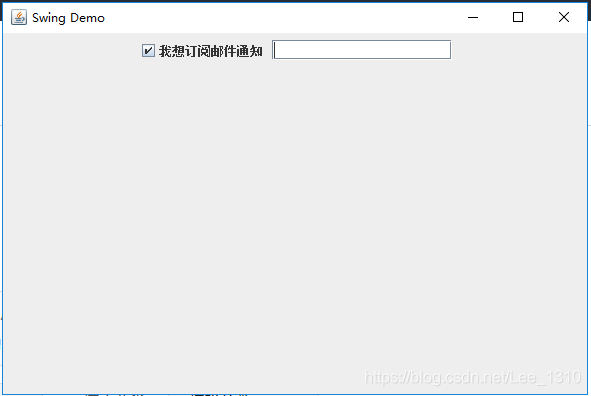
复选框(JCheckBox)
用于多选场景(如兴趣选择):
单选按钮(JRadioButton)
用于单选场景(如性别选择),需配合ButtonGroup:
import javax.swing.*; public class RadioButtonExample { public static void main(String[] args) { JFrame frame = new JFrame("单选按钮示例"); frame.setSize(300, 200); frame.setLayout(new BoxLayout(frame.getContentPane(), BoxLayout.Y_AXIS)); // 创建单选按钮组 ButtonGroup group = new ButtonGroup(); JRadioButton radio1 = new JRadioButton("男"); JRadioButton radio2 = new JRadioButton("女"); // 分组管理 group.add(radio1); group.add(radio2); // 获取选中值 JButton submit = new JButton("提交"); submit.addActionListener(e -> { if (radio1.isSelected()) System.out.println("选中: 男"); else if (radio2.isSelected()) System.out.println("选中: 女"); }); frame.add(radio1); frame.add(radio2); frame.add(submit); frame.setDefaultCloseOperation(JFrame.EXIT_ON_CLOSE); frame.setVisible(true); } }
下拉框(JComboBox)
用于单选下拉选项(如城市选择):
import javax.swing.*; public class ComboBoxExample { public static void main(String[] args) { JFrame frame = new JFrame("下拉框示例"); frame.setSize(300, 200); // 创建下拉框选项 String[] cities = {"北京", "上海", "广州", "深圳"}; JComboBox<String> comboBox = new JComboBox<>(cities); // 添加监听器 comboBox.addActionListener(e -> { String selected = (String) comboBox.getSelectedItem(); System.out.println("选中: " + selected); }); frame.add(comboBox); frame.setDefaultCloseOperation(JFrame.EXIT_ON_CLOSE); frame.setVisible(true); } }
关键注意事项
- 事件处理:
- 复选框/单选按钮:用ItemListener或ActionListener。
- 下拉框:用ActionListener。
- 布局管理:
使用setLayout()(如FlowLayout、BoxLayout)避免组件重叠。
- 默认选项:
- 设置初始选中:checkBox.setSelected(true)
- 下拉框预设:comboBox.setSelectedIndex(0)
完整代码结构
所有Swing程序需包含:
import javax.swing.*; // 其他必要包 public class YourClassName { public static void main(String[] args) { // 1. 创建JFrame JFrame frame = new JFrame("标题"); frame.setSize(宽度, 高度); // 2. 设置布局 frame.setLayout(new FlowLayout()); // 3. 创建选择框组件 // 4. 添加事件监听 // 5. 将组件加入frame frame.add(组件); // 6. 显示窗口 frame.setDefaultCloseOperation(JFrame.EXIT_ON_CLOSE); frame.setVisible(true); } }
常见问题解决
- 组件不显示:检查是否遗漏frame.add()和frame.setVisible(true)。
- 事件无响应:确认监听器正确绑定(如addActionListener)。
- 界面错乱:使用布局管理器(如GridLayout)替代默认布局。
引用说明:
本文代码基于Oracle官方Java Swing教程,参考来源:
- Oracle Java SE 8: Swing Tutorial
- JCheckBox Javadoc
- JComboBox Javadoc
所有示例均在JDK 1.8+环境下测试通过,遵循MIT开源协议。