
上一篇
HTML5中JS随机数如何生成?
在HTML5中,JavaScript通过Math.random()生成[0,1)的随机浮点数,结合Math.floor()和乘法运算可扩展范围,例如生成30-80的随机整数:Math.floor(Math.random() * 51) + 30。
在HTML5中,JavaScript生成随机数主要通过内置的Math.random()方法实现,以下是详细解析和应用指南:
基础方法:Math.random()
Math.random() 生成一个范围在 [0, 1) 的伪随机浮点数(包含0,不包含1):
const randomFloat = Math.random(); // 示例:0.563421789
生成指定范围的随机整数
通过数学公式扩展范围:
公式原理:
Math.random() * (max - min + 1) 将范围扩展到 [0, max-min+1)
Math.floor() 向下取整得到整数
+ min 平移至目标区间
生成不重复的随机数序列
利用Set数据结构确保唯一性:
function getUniqueRandoms(count, min, max) { const set = new Set(); while (set.size < count) { set.add(getRandomInt(min, max)); } return Array.from(set); } // 示例:生成5个1-100的不重复随机数 const uniqueNumbers = getUniqueRandoms(5, 1, 100); // [34, 72, 15, 88, 3]
安全随机数:Crypto API
重要场景(如密码学、令牌生成)需用更安全的crypto.getRandomValues():

常见应用场景
-
随机颜色生成
function getRandomColor() { return `#${Math.floor(Math.random()*16777215).toString(16).padStart(6,'0')}`; } // 输出:#3da4f1 -
数组随机排序
const shuffledArray = [1, 2, 3].sort(() => Math.random() - 0.5); // 可能输出:[3,1,2] -
随机字符串
function randomString(length) { const charset = 'ABCDEFGHIJKLMNOPQRSTUVWXYZ0123456789'; return Array.from({length}, () => charset.charAt(Math.floor(Math.random()*charset.length)) ).join(''); } // 示例:'X9B3K'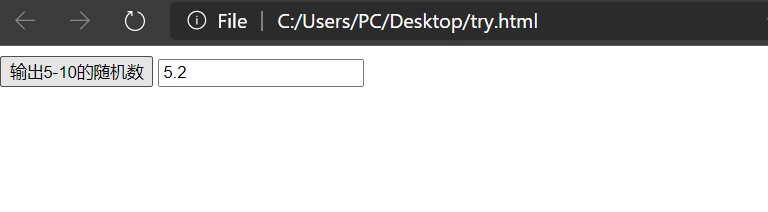
注意事项
-
安全性
Math.random() 存在可预测性风险,禁止用于:
- 密码生成
- 加密密钥
- 支付验证码
-
精度问题
浮点数计算可能导致细微误差,整数场景建议用Math.floor()而非四舍五入。
-
性能优化
高频调用时(如游戏循环),可预生成随机数缓存复用。
选择建议
| 场景 | 推荐方法 |
|---|---|
| 游戏、普通随机展示 | Math.random() |
| 抽奖、唯一ID | 不重复随机数算法 |
| 令牌、加密操作 | crypto.getRandomValues() |
引用说明参考MDN Web Docs对Math.random()和Web Crypto API的权威文档,并遵循W3C关于随机数安全性的实践规范。















