
上一篇
Ubuntu搭建http服务器时,有哪些常见配置步骤和注意事项?
Ubuntu搭建HTTP服务器:
在Ubuntu系统中搭建HTTP服务器,通常使用Apache或Nginx作为Web服务器软件,以下是一个基本的搭建过程,我们将以Apache为例进行说明。
安装Apache服务器
-
打开终端。
-
输入以下命令来安装Apache服务器:
sudo apt update sudo apt install apache2 -
安装完成后,可以通过访问 http://localhost/ 来确认Apache是否正常运行。
配置Apache服务器
-
打开Apache的配置文件,通常位于 /etc/apache2/ 目录下:
-
在配置文件中,你可以修改一些参数,如服务器名称、文档根目录等,以下是一些常用的配置项:
配置项 说明 ServerName 设置服务器的域名,如 ServerName www.example.com DocumentRoot 设置网站文档的根目录,如 DocumentRoot /var/www/html DirectoryIndex 设置默认的首页文件,如 DirectoryIndex index.html index.htm ErrorLog 设置错误日志文件的位置,如 ErrorLog /var/log/apache2/error.log CustomLog 设置访问日志文件的位置和格式,如 CustomLog /var/log/apache2/access.log combined -
保存并关闭配置文件。
-
创建一个网站目录,通常位于 /var/www/html/:
sudo mkdir /var/www/html/yourdomain.com -
创建一个简单的HTML文件作为测试页面:
sudo nano /var/www/html/yourdomain.com/index.html
-
输入以下内容作为测试页面:
<html> <head> <title>测试页面</title> </head> <body> <h1>欢迎来到我的网站!</h1> </body> </html> -
保存并关闭文件。
-
重启Apache服务器以应用新配置:
sudo systemctl restart apache2 -
再次访问 http://localhost/yourdomain.com/,你应该能看到刚才创建的测试页面。
创建网站目录和文件
重启Apache服务器
FAQs
Q1:如何检查Apache服务器是否运行正常?
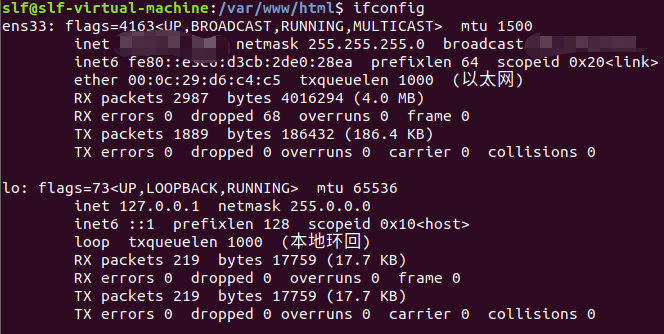
A1:你可以通过访问 http://localhost/ 来检查Apache服务器是否运行正常,如果服务器配置正确,你应该能看到一个欢迎页面。
Q2:如何为Apache服务器设置虚拟主机?
A2:要设置虚拟主机,你需要编辑 /etc/apache2/sitesavailable/ 目录下的配置文件,创建一个名为 yourdomain.conf 的文件,并添加以下内容:
<VirtualHost *:80> ServerAdmin admin@example.com ServerName www.example.com ServerAlias example.com DocumentRoot /var/www/html/yourdomain.com ErrorLog ${APACHE_LOG_DIR}/error.log CustomLog ${APACHE_LOG_DIR}/access.log combined </VirtualHost>
使用 a2ensite 命令来启用虚拟主机配置:
sudo a2ensite yourdomain.conf
重启Apache服务器:
sudo systemctl restart apache2
你可以通过访问 http://www.example.com/ 来访问你的虚拟主机。








