上一篇
java怎么打开数据库
Java中,可以使用JDBC(Java Database Connectivity)来打开数据库,首先加载数据库驱动,然后通过`DriverManager.
Java中打开数据库通常涉及以下几个步骤:加载数据库驱动程序、建立连接、执行SQL查询或更新操作、处理结果集以及关闭资源,下面将详细介绍这些步骤,并提供相应的代码示例。
加载数据库驱动程序
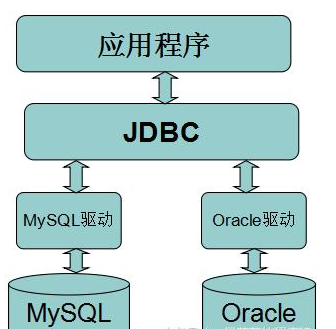
在Java中,数据库驱动程序是用于与特定数据库进行通信的类库,不同的数据库有不同的驱动程序,例如MySQL、PostgreSQL、Oracle等,在使用数据库之前,首先需要加载相应的驱动程序。
// 加载MySQL驱动程序 Class.forName("com.mysql.cj.jdbc.Driver");
建立数据库连接
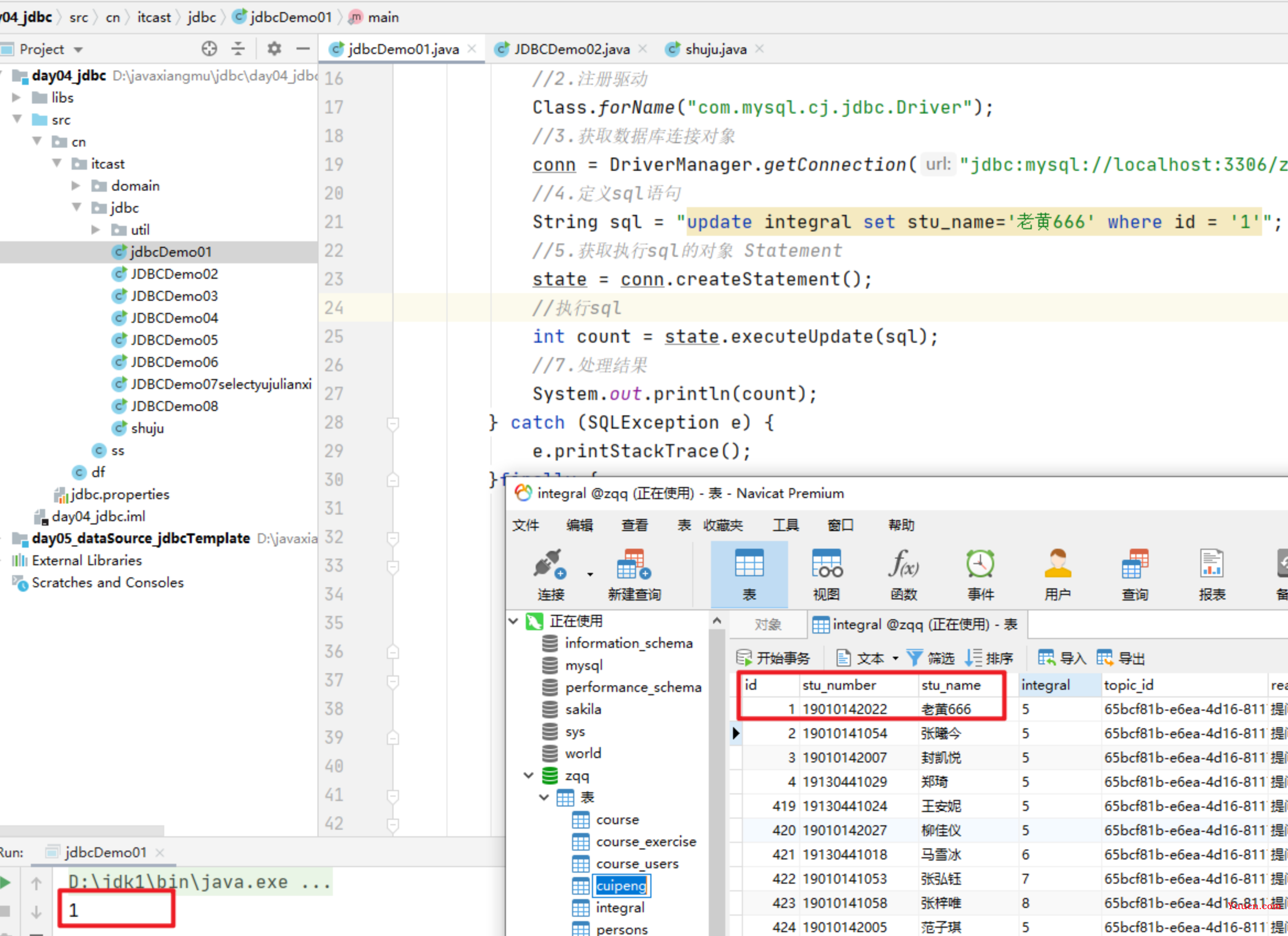
加载驱动程序后,接下来需要建立与数据库的连接,这通常通过DriverManager.getConnection()方法完成,需要提供数据库的URL、用户名和密码。
// 数据库URL、用户名和密码 String url = "jdbc:mysql://localhost:3306/mydatabase"; String user = "root"; String password = "password"; // 建立连接 Connection connection = DriverManager.getConnection(url, user, password);
创建Statement对象
建立连接后,需要创建一个Statement对象,用于执行SQL语句。
执行SQL查询或更新
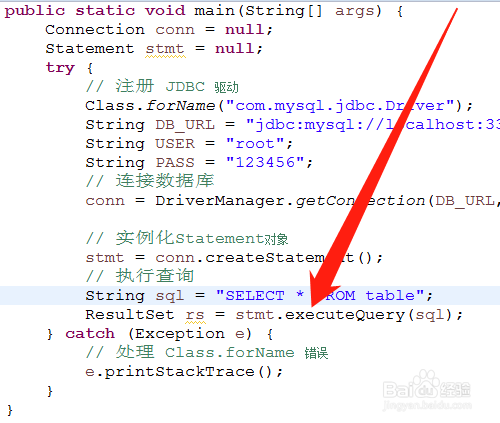
使用Statement对象可以执行SQL查询或更新操作,常见的方法有executeQuery()和executeUpdate()。
执行查询
// 执行查询 ResultSet resultSet = statement.executeQuery("SELECT FROM users"); // 处理结果集 while (resultSet.next()) { int id = resultSet.getInt("id"); String name = resultSet.getString("name"); System.out.println("ID: " + id + ", Name: " + name); }
执行更新
// 执行更新 int rowsAffected = statement.executeUpdate("UPDATE users SET name = 'John Doe' WHERE id = 1"); System.out.println("Rows affected: " + rowsAffected);
处理结果集
对于查询操作,executeQuery()方法返回一个ResultSet对象,可以通过该对象遍历查询结果。
关闭资源
在完成数据库操作后,需要关闭ResultSet、Statement和Connection对象,以释放资源。
使用PreparedStatement
为了提高安全性和性能,推荐使用PreparedStatement来执行SQL语句。PreparedStatement允许预编译SQL语句,并且可以防止SQL载入攻破。
// 创建PreparedStatement String sql = "SELECT FROM users WHERE id = ?"; PreparedStatement preparedStatement = connection.prepareStatement(sql); preparedStatement.setInt(1, 1); // 设置参数 // 执行查询 ResultSet resultSet = preparedStatement.executeQuery(); // 处理结果集 while (resultSet.next()) { int id = resultSet.getInt("id"); String name = resultSet.getString("name"); System.out.println("ID: " + id + ", Name: " + name); } // 关闭资源 if (resultSet != null) { resultSet.close(); } if (preparedStatement != null) { preparedStatement.close(); } if (connection != null) { connection.close(); }
使用事务管理
在某些情况下,可能需要使用事务来确保一系列操作的原子性,可以通过Connection对象的setAutoCommit()方法来控制事务的提交。
// 关闭自动提交 connection.setAutoCommit(false); try { // 执行多个操作 statement.executeUpdate("INSERT INTO users (name) VALUES ('Alice')"); statement.executeUpdate("INSERT INTO users (name) VALUES ('Bob')"); // 提交事务 connection.commit(); } catch (SQLException e) { // 回滚事务 connection.rollback(); e.printStackTrace(); } finally { // 关闭资源 if (statement != null) { statement.close(); } if (connection != null) { connection.close(); } }
使用连接池
在实际开发中,频繁地创建和关闭数据库连接会影响性能,通常使用连接池来管理数据库连接,常见的连接池实现包括HikariCP、C3P0等。
// 使用HikariCP连接池 HikariConfig config = new HikariConfig(); config.setJdbcUrl("jdbc:mysql://localhost:3306/mydatabase"); config.setUsername("root"); config.setPassword("password"); HikariDataSource dataSource = new HikariDataSource(config); try (Connection connection = dataSource.getConnection()) { // 使用连接执行操作 } catch (SQLException e) { e.printStackTrace(); } finally { dataSource.close(); }
异常处理
在数据库操作中,可能会遇到各种异常,如SQLException,建议在代码中进行适当的异常处理。
try { // 数据库操作 } catch (SQLException e) { e.printStackTrace(); } finally { // 关闭资源 }
在Java中打开数据库并执行操作的基本步骤包括加载驱动程序、建立连接、创建Statement或PreparedStatement对象、执行SQL语句、处理结果集以及关闭资源,为了提高性能和安全性,推荐使用PreparedStatement和连接池,适当的异常处理和事务管理也是必要的。
相关问答FAQs
Q1: 如何在Java中连接到MySQL数据库?
A1: 在Java中连接到MySQL数据库的步骤如下:
- 加载MySQL驱动程序:Class.forName("com.mysql.cj.jdbc.Driver");
- 建立连接:Connection connection = DriverManager.getConnection("jdbc:mysql://localhost:3306/mydatabase", "root", "password");
- 创建Statement或PreparedStatement对象。
- 执行SQL语句。
- 处理结果集(如果是查询操作)。
- 关闭资源。
Q2: 什么是PreparedStatement,为什么要使用它?
A2: PreparedStatement是Statement的子接口,用于预编译SQL语句,使用PreparedStatement的好处包括:
- 防止SQL载入:通过参数化查询,可以有效防止SQL载入攻破。
- 提高性能:SQL语句在第一次执行时被编译,后续执行时可以直接使用已编译的语句,提高了执行效率。