
上一篇
c 怎么获取配置文件的数据库连接
C语言中,获取配置文件中的数据库连接信息通常需要读取配置文件(如.ini、.conf等),解析其中的键值对,然后提取出数据库连接相关的配置项(如主机、端口、用户名、密码等),具体实现可以使用文件操作函数(如 fopen、 fgets等)逐行读取配置文件,并结合字符串处理函数(如 strtok、 strcmp等
C语言中获取配置文件的数据库连接,通常涉及读取配置文件、解析配置信息以及使用这些信息建立数据库连接,以下是详细的步骤和示例代码:
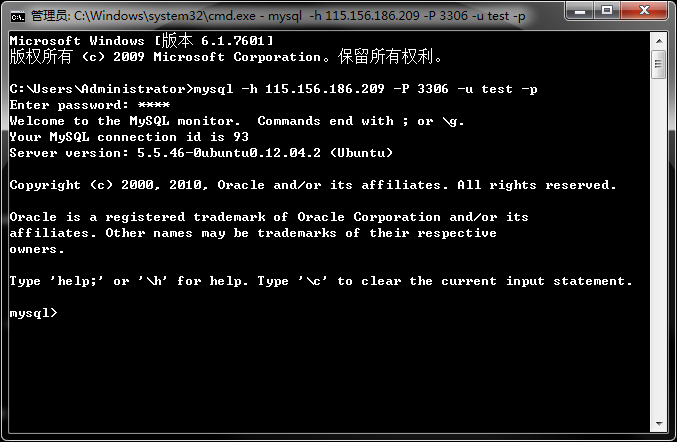
读取配置文件
配置文件可以采用多种格式,如INI、JSON、XML等,这里以INI文件为例,因为其格式简单且易于解析,假设我们有一个名为db_config.ini的配置文件,内容如下:
[database] host = localhost port = 3306 user = root password = secret dbname = mydatabase
解析配置文件
为了读取和解析INI文件,我们可以使用标准C库函数,或者借助第三方库如inih(INI Hassle-free Parser),下面是一个使用标准C库函数解析INI文件的示例:
#include <stdio.h> #include <stdlib.h> #include <string.h> typedef struct { char host[50]; int port; char user[50]; char password[50]; char dbname[50]; } DBConfig; void read_ini_file(const char filename, DBConfig config) { FILE file = fopen(filename, "r"); if (file == NULL) { perror("Failed to open file"); exit(EXIT_FAILURE); } char line[256]; char section[50]; char key[50]; char value[100]; while (fgets(line, sizeof(line), file)) { // Remove newline character line[strcspn(line, " ")] = 0; if (sscanf(line, "[%[^]]]", section) == 1) { // Section header, e.g., [database] continue; } else if (sscanf(line, "%[^=]=%s", key, value) == 2) { // Key-value pair, e.g., host=localhost if (strcmp(section, "database") == 0) { if (strcmp(key, "host") == 0) { strcpy(config->host, value); } else if (strcmp(key, "port") == 0) { config->port = atoi(value); } else if (strcmp(key, "user") == 0) { strcpy(config->user, value); } else if (strcmp(key, "password") == 0) { strcpy(config->password, value); } else if (strcmp(key, "dbname") == 0) { strcpy(config->dbname, value); } } } } fclose(file); }
建立数据库连接
以MySQL为例,我们需要使用MySQL Connector/C库来建立数据库连接,确保已经安装了该库,并在编译时链接它,以下是一个完整的示例,展示如何读取配置文件并建立数据库连接:
#include <stdio.h> #include <stdlib.h> #include <string.h> #include <mysql/mysql.h> typedef struct { char host[50]; int port; char user[50]; char password[50]; char dbname[50]; } DBConfig; void read_ini_file(const char filename, DBConfig config) { FILE file = fopen(filename, "r"); if (file == NULL) { perror("Failed to open file"); exit(EXIT_FAILURE); } char line[256]; char section[50]; char key[50]; char value[100]; while (fgets(line, sizeof(line), file)) { line[strcspn(line, " ")] = 0; // Remove newline character if (sscanf(line, "[%[^]]]", section) == 1) { continue; // Section header, e.g., [database] } else if (sscanf(line, "%[^=]=%s", key, value) == 2) { if (strcmp(section, "database") == 0) { if (strcmp(key, "host") == 0) { strcpy(config->host, value); } else if (strcmp(key, "port") == 0) { config->port = atoi(value); } else if (strcmp(key, "user") == 0) { strcpy(config->user, value); } else if (strcmp(key, "password") == 0) { strcpy(config->password, value); } else if (strcmp(key, "dbname") == 0) { strcpy(config->dbname, value); } } } } fclose(file); } void connect_to_database(const DBConfig config) { MYSQL conn; conn = mysql_init(NULL); if (conn == NULL) { fprintf(stderr, "mysql_init() failed "); exit(EXIT_FAILURE); } if (mysql_real_connect(conn, config->host, config->user, config->password, config->dbname, config->port, NULL, 0) == NULL) { fprintf(stderr, "mysql_real_connect() failed: %s ", mysql_error(conn)); mysql_close(conn); exit(EXIT_FAILURE); } printf("Database connection successful! "); // Perform database operations here... mysql_close(conn); } int main() { DBConfig config; read_ini_file("db_config.ini", &config); connect_to_database(&config); return 0; }
处理不同格式的配置文件
除了INI文件,还可以使用JSON或XML格式的配置文件,对于JSON文件,可以使用json-c库来解析;对于XML文件,可以使用libxml2库,以下是如何处理JSON配置文件的示例:
JSON配置文件示例 (db_config.json):
{ "database": { "host": "localhost", "port": 3306, "user": "root", "password": "secret", "dbname": "mydatabase" } }
解析JSON配置文件的代码:
#include <stdio.h> #include <stdlib.h> #include <string.h> #include <json-c/json.h> #include <mysql/mysql.h> typedef struct { char host[50]; int port; char user[50]; char password[50]; char dbname[50]; } DBConfig; void read_json_file(const char filename, DBConfig config) { FILE file = fopen(filename, "r"); if (file == NULL) { perror("Failed to open file"); exit(EXIT_FAILURE); } fseek(file, 0, SEEK_END); long length = ftell(file); fseek(file, 0, SEEK_SET); char data = malloc(length + 1); fread(data, 1, length, file); data[length] = ''; fclose(file); struct json_object parsed_json; struct json_object database; struct json_object host, port, user, password, dbname; parsed_json = json_tokener_parse(data); json_object_object_get_ex(parsed_json, "database", &database); json_object_object_get_ex(database, "host", &host); json_object_object_get_ex(database, "port", &port); json_object_object_get_ex(database, "user", &user); json_object_object_get_ex(database, "password", &password); json_object_object_get_ex(database, "dbname", &dbname); strcpy(config->host, json_object_get_string(host)); config->port = json_object_get_int(port); strcpy(config->user, json_object_get_string(user)); strcpy(config->password, json_object_get_string(password)); strcpy(config->dbname, json_object_get_string(dbname)); free(data); } void connect_to_database(const DBConfig config) { MYSQL conn; conn = mysql_init(NULL); if (conn == NULL) { fprintf(stderr, "mysql_init() failed "); exit(EXIT_FAILURE); } if (mysql_real_connect(conn, config->host, config->user, config->password, config->dbname, config->port, NULL, 0) == NULL) { fprintf(stderr, "mysql_real_connect() failed: %s ", mysql_error(conn)); mysql_close(conn); exit(EXIT_FAILURE); } printf("Database connection successful! "); // Perform database operations here... mysql_close(conn); } int main() { DBConfig config; read_json_file("db_config.json", &config); connect_to_database(&config); return 0; }
归纳与注意事项
| 步骤 | 描述 | 关键点 |
|---|---|---|
| 读取配置文件 | 打开并读取配置文件内容 | 使用fopen和fgets逐行读取 |
| 解析配置文件 | 提取数据库连接所需的信息 | 根据文件格式选择解析方法(INI、JSON、XML) |
| 建立数据库连接 | 使用解析出的信息连接数据库 | 确保正确初始化数据库驱动库,处理连接错误 |
| 关闭连接 | 释放资源,关闭数据库连接 | 使用`mysql_ |















