
上一篇
PyQt5中QPainter绘制图形实例,具体如何实现各种图形绘制?
PyQt5:利用QPainter绘制各种图形的实例详解
PyQt5是一个优秀的Python图形用户界面库,它提供了丰富的组件和功能,使得开发者可以轻松地创建跨平台的桌面应用程序,QPainter是PyQt5中用于绘制图形和文本的类,它可以绘制各种基本的图形,如矩形、椭圆、线条和文本等,本文将详细介绍如何使用PyQt5和QPainter绘制各种图形,并提供实例代码。
绘制基本图形
绘制矩形
矩形是QPainter中最常用的图形之一,以下是一个绘制矩形的实例:
from PyQt5.QtWidgets import QApplication, QWidget from PyQt5.QtGui import QPainter, QColor from PyQt5.QtCore import QRect class Example(QWidget): def __init__(self): super().__init__() self.initUI() def initUI(self): self.setGeometry(300, 300, 280, 170) self.setWindowTitle('绘制矩形') self.show() def paintEvent(self, event): qp = QPainter() qp.begin(self) qp.setBrush(QColor(50, 50, 200)) qp.drawRect(10, 10, 240, 100) qp.end() if __name__ == '__main__': app = QApplication([]) ex = Example() app.exec_()
绘制椭圆

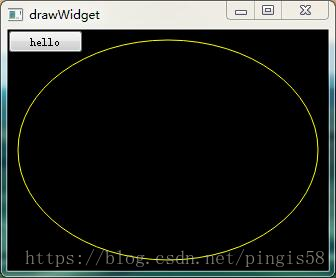
椭圆的绘制与矩形类似,只需调用drawEllipse()方法即可,以下是一个绘制椭圆的实例:
from PyQt5.QtWidgets import QApplication, QWidget from PyQt5.QtGui import QPainter, QColor from PyQt5.QtCore import QRectF class Example(QWidget): def __init__(self): super().__init__() self.initUI() def initUI(self): self.setGeometry(300, 300, 280, 170) self.setWindowTitle('绘制椭圆') self.show() def paintEvent(self, event): qp = QPainter() qp.begin(self) qp.setBrush(QColor(200, 50, 50)) qp.drawEllipse(10, 10, 240, 100) qp.end() if __name__ == '__main__': app = QApplication([]) ex = Example() app.exec_()
绘制线条
线条可以通过drawLine()方法绘制,以下是一个绘制线条的实例:
from PyQt5.QtWidgets import QApplication, QWidget from PyQt5.QtGui import QPainter, QColor, QPen from PyQt5.QtCore import QPoint class Example(QWidget): def __init__(self): super().__init__() self.initUI() def initUI(self): self.setGeometry(300, 300, 280, 170) self.setWindowTitle('绘制线条') self.show() def paintEvent(self, event): qp = QPainter() qp.begin(self) qp.setPen(QPen(QColor(50, 200, 50), 2)) qp.drawLine(10, 10, 240, 110) qp.end() if __name__ == '__main__': app = QApplication([]) ex = Example() app.exec_()
FAQs

Q1:如何设置绘制图形的颜色?
A1:可以使用QColor()类来设置颜色,并将其赋值给QPainter对象的setBrush()或setPen()方法。
Q2:如何绘制文本?
A2:可以使用QPainter对象的drawText()方法来绘制文本,以下是一个绘制文本的实例:
from PyQt5.QtWidgets import QApplication, QWidget from PyQt5.QtGui import QPainter, QColor, QFont class Example(QWidget): def __init__(self): super().__init__() self.initUI() def initUI(self): self.setGeometry(300, 300, 280, 170) self.setWindowTitle('绘制文本') self.show() def paintEvent(self, event): qp = QPainter() qp.begin(self) qp.setPen(QColor(200, 200, 50)) qp.setFont(QFont('Arial', 12)) qp.drawText(10, 10, 'Hello, PyQt5!') qp.end() if __name__ == '__main__': app = QApplication([]) ex = Example() app.exec_()







