上一篇
局域网dns服务器配置
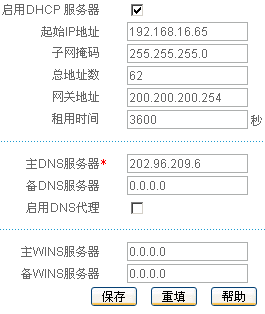
在 局域网设备管理界面,进入DNS设置,新建服务器并输入IP(如192.168.3.11),保存后客户端设为自动获取或手动指向该IP
局域网DNS服务器配置指南
需求分析
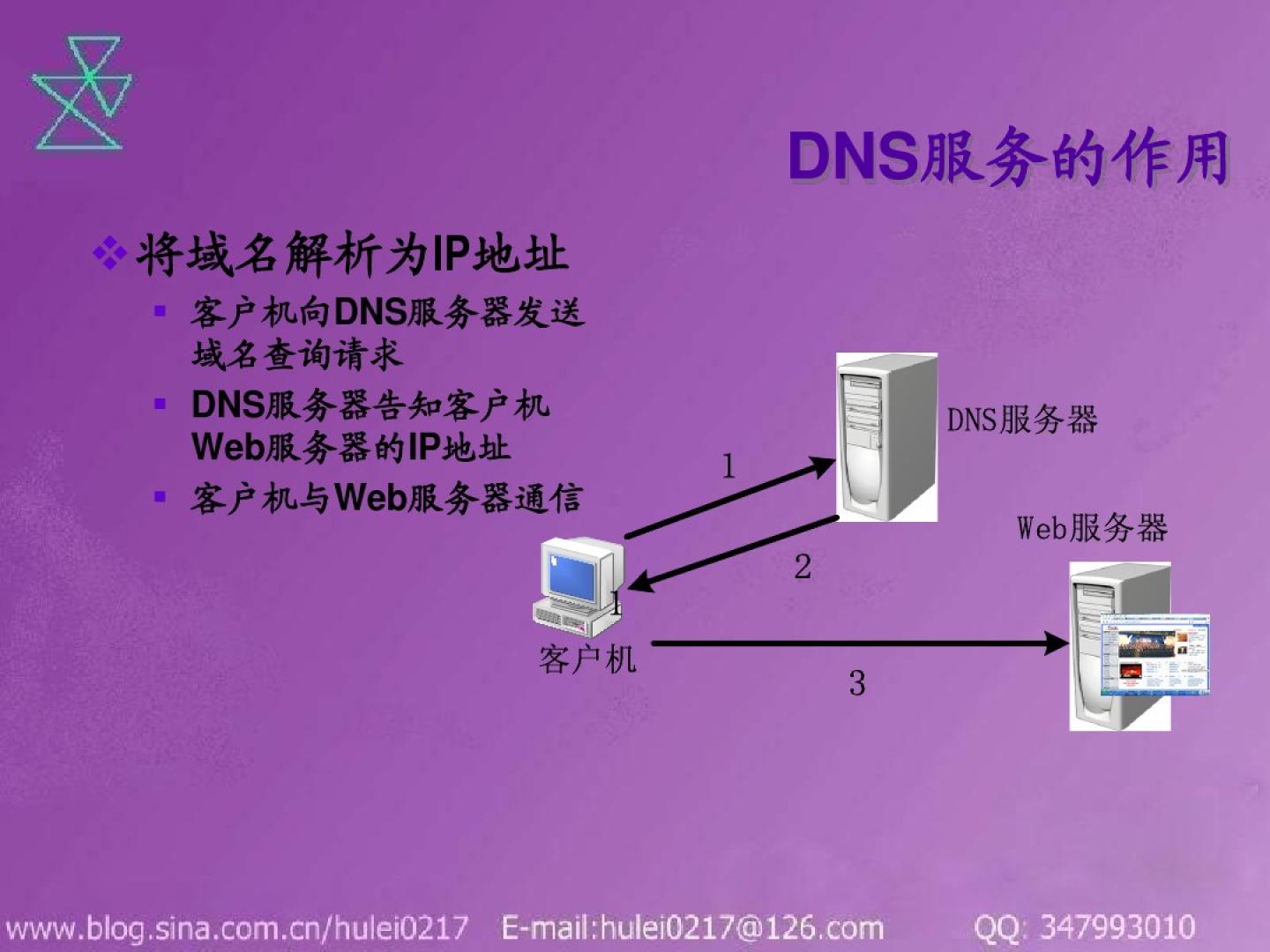
在局域网中部署DNS服务器的主要目的是:
- 将域名解析为内网IP地址(如pc1.local → 168.1.100)。
- 减少对公网DNS的依赖,提升解析速度和安全性。
- 支持自定义域名规则(如设备命名、服务发现)。
常用DNS服务器软件
| 软件 | 特点 | 适用场景 |
|---|---|---|
| BIND | 开源、功能强大、支持主从架构 | 大型网络、需要高可用性 |
| Unbound | 轻量级、高性能、注重安全 | 中小型网络、资源有限环境 |
| Windows DNS | 与AD集成、图形化管理 | Windows主导的局域网 |
| dnsmasq | 轻量级、支持DHCP+DNS一体化 | 小型网络、家庭环境 |
配置步骤(以BIND为例)
安装BIND
- Ubuntu/Debian: sudo apt update && sudo apt install bind9 -y
- CentOS/RHEL: sudo yum install bind bind-utils -y
- Windows:
通过“服务器管理器”添加“DNS服务器”角色。
配置正向解析区域
编辑/etc/bind/named.conf.local(Ubuntu路径),添加以下内容:
创建db.local文件(示例):
$TTL 600 @ IN SOA local. . ( 2023100101 ; Serial 1D ; Refresh 1H ; Retry 1W ; Expire 3H ) ; Negative Cache TTL IN NS ns.local. ns IN A 192.168.1.1 pc1 IN A 192.168.1.100 server IN A 192.168.1.200
配置反向解析区域
在named.conf.local中追加:
创建db.192文件(示例):
$TTL 600 @ IN SOA 1.168.192.in-addr.arpa. . ( 2023100101 ; Serial 1D ; Refresh 1H ; Retry 1W ; Expire 3H ) ; Negative Cache TTL IN NS ns.local. 1 IN PTR pc1.local. 100 IN PTR pc1.local.
修改全局配置
编辑/etc/bind/named.conf,设置监听地址:
options { directory "/var/cache/bind"; recursion yes; // 允许递归查询 allow-query-cache { any; } // 允许所有客户端查询缓存 forwarders { 8.8.8.8; 8.8.4.4; } // 转发上游DNS };
防火墙放行DNS端口
- UFW(Ubuntu): sudo ufw allow 53/tcp sudo ufw allow 53/udp
- Firewalld(CentOS): sudo firewall-cmd --permanent --add-service=dns --add-service=dns6 sudo firewall-cmd --reload
测试验证
- 正向解析测试: nslookup pc1.local 127.0.0.1
应返回168.1.100。
- 反向解析测试: dig -x 192.168.1.100 @127.0.0.1
应返回pc1.local。
- 递归查询测试: dig www.google.com @127.0.0.1
应返回公网IP地址。
- 小型网络(<50设备):推荐dnsmasq或Unbound,轻量且易于维护。
- 中型网络(50-500设备):BIND或Windows DNS,支持复杂策略和主从备份。
- 大型网络(>500设备):BIND主从架构+负载均衡,确保高可用性。
- 原因:过期缓存未及时刷新或缓存容量不足。
- 解决方案:
- 调整$TTL值(如从3600秒缩短至600秒)。
- 清理缓存:sudo rndc flush(BIND)或重启服务。
- 禁用特定记录的缓存:在区域文件中添加`
安全优化建议
| 优化项 | 措施 |
|---|---|
| 限制访问来源 | 仅允许内网IP访问DNS服务器(allow-query { 192.168.1.0/24; };) |
| 签名防改动 | 启用DNSSEC(需生成密钥并签名区域文件) |
| 最小化递归范围 | 关闭递归功能(recursion no;),由上级DNS处理非本地请求 |
| 日志审计 | 开启详细日志(logging { channel ... };)并定期分析 |
相关问题与解答
问题1:如何选择适合局域网的DNS软件?
问题2:DNS缓存导致解析延迟怎么办?