上一篇
linux 配置域名服务器
Li nux上 配置 域名服务器,可选用BIND软件,编辑/etc/bind下的 配置文件定义区域和转发规则,实现DNS解析服务
是如何在Linux系统上配置域名服务器的详细指南:
准备工作
- 选择Linux发行版:推荐使用Ubuntu、CentOS或Debian等稳定版本作为基础系统,这些发行版拥有丰富的软件库和社区支持,便于后续操作。
- 获取域名与服务器IP:从域名注册商处购买所需域名,并记录下Linux服务器的公网IP地址(可通过hostname -I命令查看)。
安装DNS服务软件(以BIND为例)
| 步骤 | 命令(Ubuntu) | 命令(CentOS) | 说明 |
|---|---|---|---|
| 更新包列表 | sudo apt update | sudo yum update | 确保获取最新软件包信息 |
| 安装BIND | sudo apt install bind9 | sudo yum install bind bind-utils | BIND是主流DNS服务器软件 |
配置主配置文件
BIND的主要配置文件位于/etc/bind/named.conf,需按以下结构修改:
options { directory "/var/cache/bind"; # 工作目录 listen-on port 53 { any; }; # 监听所有接口的53端口 allow-query { any; }; # 允许所有客户端查询 recursion yes; # 开启递归解析 forwarders { 8.8.8.8; 8.8.4.4; }; # 可选:设置上游DNS(如Google公共DNS) };
此段代码定义了服务的基本运行参数,包括数据存储路径、访问权限及是否启用转发功能。
创建区域文件
在/etc/bind/目录下为每个域名单独建立配置文件(扩展名为.zone),例如对example.com的配置示例如下:
; Zone file for example.com $TTL 86400 @ IN SOA ns1.example.com. admin.example.com. ( 2025080501 ; Serial Number 3600 ; Refresh interval 1800 ; Retry interval 604800 ; Expiry time 86400 ) ; Negative cache TTL ; Name Server Records @ IN NS ns1.example.com. @ IN NS ns2.example.com. ; A Records for Nameservers themselves ns1 IN A 192.168.1.100 ns2 IN A 192.168.1.101 ; Web Server Record www IN A 192.168.1.100 ```包含了SOA记录(标识权威源)、NS记录(指定辅助DNS服务器)以及具体的主机映射关系。 五、关联Web服务(Apache/Nginx) 若需通过域名访问网页内容,还需配置对应的Web服务器: # 1. Apache方案 编辑虚拟主机配置: ```bash sudo nano /etc/apache2/sites-available/example.com.conf <VirtualHost :80> ServerName www.example.com DocumentRoot /var/www/html/example.com ErrorLog ${APACHE_LOG_DIR}/error.log CustomLog ${APACHE_LOG_DIR}/access.log combined </VirtualHost>
然后执行启用命令:

sudo a2ensite example.com.conf && sudo systemctl restart apache2
Nginx方案
新建站点文件:
sudo nano /etc/nginx/sites-available/example.com
写入基本设置:
server { listen 80; server_name www.example.com; root /var/www/html/example.com; location / { try_files $uri $uri/ =404; } }
之后进行软链接并重启服务:

sudo ln -s /etc/nginx/sites-available/example.com /etc/nginx/sites-enabled/ && sudo systemctl restart nginx
验证与测试
- 检查语法正确性:使用named-checkconf工具校验主配置文件是否存在错误。
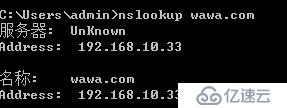
- 本地解析测试:通过dig @localhost example.com或nslookup example.com 127.0.0.1验证DNS响应是否符合预期。
- 全局生效确认:在不同网络环境下ping该域名,观察是否能正确解析到设定的IP地址。
常见问题与解答
Q1: 域名无法解析怎么办?
A: 可能原因包括:①DNS记录未生效(等待数小时至一天);②区域文件中存在拼写错误;③防火墙阻止了UDP/TCP 53端口,建议依次排查上述因素,特别注意检查/etc/bind/named.conf中的监听设置是否包含目标接口。
Q2: 如何添加SSL加密支持?
A: 可借助Certbot工具自动部署免费证书:对于Apache用户运行sudo certbot --apache -d example.com;Nginx用户则执行sudo certbot --nginx -d example.com,该工具会自动修改配置文件并重启服务使HTTPS生效。
通过以上步骤,您已成功搭建了一个基于Linux的完整域名解析体系,能够实现域名到IP地址的转换,并支持通过Web浏览器访问