上一篇
solarvps-简单测评/512m内存/洛杉矶
买了个solarvps,不废话,探针:http://65.181.116.152:8910/tz.php 演示VPS上1G文件下载测速:http://65.181.116.152:8910/test !等会儿放出UNIX BENCH MARK ! 有关介绍+优惠码 请参看:solarvps-4$/Cloud/512m内存/20g硬盘/2T流量/4数据中心 直接围观:www.solarvps.com
在前面发布优惠码的文章里面我说的是推荐指数:,现在本人改一下:推荐指数:
VPS管理面板地址:https://control.ss.solarvps.com/ 登录后界面如下:
重启、关机、修改root密码、Console Control密码、主机名,查看流量示意图,重装系统,升级VPS配置,免费DNS等都有,如下:
国内广州联通路由走向:
|——————————————————————————————|
| WinMTR statistics |
| Host – % | Sent | Recv | Best | Avrg | Wrst | Last |
|————————————————|——|——|——|——|——|——|
| bogon – 0 | 27 | 27 | 0 | 0 | 1 | 1 |
| 58.249.16.1 – 0 | 27 | 27 | 8 | 12 | 28 | 21 |
| 120.80.175.201 – 0 | 27 | 27 | 10 | 16 | 26 | 12 |
| 120.80.0.149 – 0 | 27 | 27 | 39 | 44 | 56 | 40 |
| 219.158.99.133 – 0 | 27 | 27 | 39 | 43 | 50 | 42 |
| 219.158.3.234 – 5 | 23 | 22 | 80 | 92 | 107 | 101 |
| 219.158.97.58 – 0 | 24 | 24 | 70 | 97 | 125 | 92 |
| 219.158.102.110 – 0 | 27 | 27 | 243 | 257 | 268 | 245 |
| TenGigE0-2-0-0.GW6.SJC7.ALTER.NET – 11 | 19 | 17 | 198 | 208 | 220 | 213 |
| 0.xe-2-1-0.XL4.SJC7.ALTER.NET – 0 | 27 | 27 | 197 | 217 | 291 | 201 |
| 0.xe-10-1-0.BR3.SJC7.ALTER.NET – 11 | 19 | 17 | 195 | 216 | 244 | 244 |
|te0-0-0-26.ccr21.sjc03.atlas.cogentco.com – 0 | 27 | 27 | 167 | 175 | 192 | 169 |
| be2000.ccr21.sjc01.atlas.cogentco.com – 0 | 27 | 27 | 172 | 189 | 212 | 212 |
| be2163.mpd22.lax01.atlas.cogentco.com – 0 | 27 | 27 | 194 | 235 | 277 | 254 |
| te7-1.mag02.lax01.atlas.cogentco.com – 0 | 27 | 27 | 186 | 194 | 214 | 189 |
| 38.122.20.2 – 11 | 19 | 17 | 0 | 230 | 240 | 227 |
| 65.181.116.152 – 5 | 23 | 22 | 0 | 204 | 215 | 214 |
|________________________________________________|______|______|______|______|______|______|
WinMTR v0.92 GPL V2 by Appnor MSP – Fully Managed Hosting & Cloud Provider
什么云我不能100%确定,目测是开源的openstack,底层虚拟化为XEN:
是KVM\XEN还是openvz?你自己看,寡人不骗你:
root@gongyi:~# tar zxvf virt-what-1.12.tar.gz
root@gongyi:~# cd virt-what-1.12/
root@gongyi:~/virt-what-1.12# ./configure
checking for a BSD-compatible install… /usr/bin/install -c
checking whether build environment is sane… yes
checking for a thread-safe mkdir -p… /bin/mkdir -p
checking for gawk… no
checking for mawk… mawk
checking whether make sets $(MAKE)… yes
checking for style of include used by make… GNU
checking for gcc… gcc
checking whether the C compiler works… yes
checking for C compiler default output file name… a.out
checking for suffix of executables…
checking whether we are cross compiling… no
checking for suffix of object files… o
checking whether we are using the GNU C compiler… yes
checking whether gcc accepts -g… yes
checking for gcc option to accept ISO C89… none needed
checking dependency style of gcc… gcc3
checking for gcc option to accept ISO C99… -std=gnu99
checking for gcc -std=gnu99 option to accept ISO Standard C… (cached) -std=gnu99
checking how to run the C preprocessor… gcc -std=gnu99 -E
checking for function prototypes… yes
checking whether gcc -std=gnu99 and cc understand -c and -o together… yes
checking build system type… i686-pc-linux-gnu
checking host system type… i686-pc-linux-gnu
configure: creating ./config.status
config.status: creating virt-what
config.status: creating Makefile
config.status: creating config.h
config.status: executing depfiles commands
root@gongyi:~/virt-what-1.12# make && make install
make all-am
make[1]: Entering direc”不可描述”y `/root/virt-what-1.12′
gcc -std=gnu99 -DHAVE_CONFIG_H -I. -Wall -g -O2 -MT virt-what-cpuid-helper.o -MD -MP -MF .deps/virt-what-cpuid-helper.Tpo -c -o virt-what-cpuid-helper.o virt-what-cpuid-helper.c
mv -f .deps/virt-what-cpuid-helper.Tpo .deps/virt-what-cpuid-helper.Po
gcc -std=gnu99 -g -O2 -o virt-what-cpuid-helper virt-what-cpuid-helper.o
pod2man -c “Virtualization Support” –release “virt-what-1.12” \
virt-what.pod > virt-what.1
make[1]: Leaving direc”不可描述”y `/root/virt-what-1.12′
make[1]: Entering direc”不可描述”y `/root/virt-what-1.12′
test -z “/usr/local/libexec” || /bin/mkdir -p “/usr/local/libexec”
/usr/bin/install -c virt-what-cpuid-helper ‘/usr/local/libexec’
test -z “/usr/local/sbin” || /bin/mkdir -p “/usr/local/sbin”
/usr/bin/install -c virt-what ‘/usr/local/sbin’
test -z “/usr/local/share/man/man1” || /bin/mkdir -p “/usr/local/share/man/man1”
/usr/bin/install -c -m 644 virt-what.1 ‘/usr/local/share/man/man1′
make[1]: Leaving direc”不可描述”y `/root/virt-what-1.12’
root@gongyi:~/virt-what-1.12# virt-what
xen
查看内存:
root@gongyi:~# free -m
total used free shared buffers cached
Mem: 500 127 372 0 30 76
-/+ buffers/cache: 20 480
Swap: 511 0 511
TOP信息,源码系统下:
top – 14:47:08 up 8 min, 1 user, load average: 0.00, 0.02, 0.03
Tasks: 52 total, 1 running, 51 sleeping, 0 stopped, 0 zombie
%Cpu(s): 0.0 us, 1.0 sy, 0.0 ni, 99.0 id, 0.0 wa, 0.0 hi, 0.0 si, 0.0 st
KiB Mem: 512444 total, 131076 used, 381368 free, 31096 buffers
KiB Swap: 524284 total, 0 used, 524284 free, 78884 cached
PID USER PR NI VIRT RES SHR S %CPU %MEM TIME+ COMMAND
1 root 20 0 2288 732 628 S 0.0 0.1 0:01.42 init
2 root 20 0 0 0 0 S 0.0 0.0 0:00.00 kthreadd
3 root 20 0 0 0 0 S 0.0 0.0 0:00.02 ksoftirqd/0
4 root 20 0 0 0 0 S 0.0 0.0 0:00.00 kworker/0:0
5 root 20 0 0 0 0 S 0.0 0.0 0:00.00 kworker/u:0
6 root rt 0 0 0 0 S 0.0 0.0 0:00.00 migration/0
7 root rt 0 0 0 0 S 0.0 0.0 0:00.00 watchdog/0
8 root 0 -20 0 0 0 S 0.0 0.0 0:00.00 cpuset
9 root 0 -20 0 0 0 S 0.0 0.0 0:00.00 khelper
10 root 20 0 0 0 0 S 0.0 0.0 0:00.00 kdevtmpfs
11 root 0 -20 0 0 0 S 0.0 0.0 0:00.00 netns
12 root 20 0 0 0 0 S 0.0 0.0 0:00.00 xenwatch
13 root 20 0 0 0 0 S 0.0 0.0 0:00.00 xenbus
14 root 20 0 0 0 0 S 0.0 0.0 0:00.00 sync_supers
15 root 20 0 0 0 0 S 0.0 0.0 0:00.00 bdi-default
16 root 0 -20 0 0 0 S 0.0 0.0 0:00.00 kintegrityd
17 root 0 -20 0 0 0 S 0.0 0.0 0:00.00 kblockd
18 root 20 0 0 0 0 S 0.0 0.0 0:00.02 kworker/0:1
19 root 20 0 0 0 0 S 0.0 0.0 0:00.00 khungtaskd
20 root 20 0 0 0 0 S 0.0 0.0 0:00.03 kswapd0
21 root 25 5 0 0 0 S 0.0 0.0 0:00.00 ksmd
22 root 20 0 0 0 0 S 0.0 0.0 0:00.00 fsnotify_mark
23 root 0 -20 0 0 0 S 0.0 0.0 0:00.00 crypto
27 root 20 0 0 0 0 S 0.0 0.0 0:00.00 khvcd
77 root 20 0 0 0 0 S 0.0 0.0 0:00.00 kjournald
86 root 20 0 0 0 0 S 0.0 0.0 0:00.00 kworker/u:1
220 root 20 0 2604 1080 764 S 0.0 0.2 0:00.02 udevd
264 root 20 0 2600 728 412 S 0.0 0.1 0:00.00 udevd
265 root 20 0 2600 728 412 S 0.0 0.1 0:00.00 udevd
1693 root 20 0 27812 1376 1040 S 0.0 0.3 0:00.00 rsyslogd
1747 daemon 20 0 2160 124 0 S 0.0 0.0 0:00.00 atd
1752 root 20 0 1884 604 480 S 0.0 0.1 0:00.00 acpid
1755 root 20 0 2084 840 700 S 0.0 0.2 0:00.00 anacron
1848 root 20 0 3844 956 764 S 0.0 0.2 0:00.00 cron
1851 messageb 20 0 3024 1008 776 S 0.0 0.2 0:00.00 dbus-daemon
看看U是啥样子的:
root@gongyi:~# cat /proc/cpuinfo
processor : 0
vendor_id : GenuineIntel
cpu family : 6
model : 45
model name : Intel(R) Xeon(R) CPU E5-2620 0 @ 2.00GHz
stepping : 7
microcode : 0x70d
cpu MHz : 2000.064
cache size : 15360 KB
physical id : 0
siblings : 1
core id : 0
cpu cores : 1
apicid : 0
initial apicid : 1
fdiv_bug : no
hlt_bug : no
f00f_bug : no
coma_bug : no
fpu : yes
fpu_exception : yes
cpuid level : 13
wp : yes
flags : fpu de tsc msr pae cx8 sep cmov pat clflush mmx fxsr sse sse2 ss ht nx constant_tsc up pni pclmulqdq ssse3 sse4_1 sse4_2 x2apic popcnt tsc_deadline_timer aes hypervisor arat epb pln pts dtherm
bogomips : 4000.12
clflush size : 64
cache_alignment : 64
address sizes : 46 bits physical, 48 bits virtual
power management:
硬盘存储:
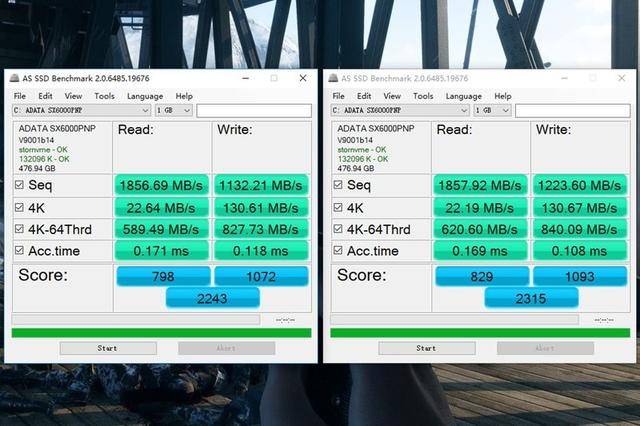
root@gongyi:~# df -lh
Filesystem Size Used Avail Use% Mounted on
rootfs 20G 1.3G 18G 7% /
udev 10M 0 10M 0% /dev
tmpfs 51M 84K 50M 1% /run
/dev/xvda1 20G 1.3G 18G 7% /
tmpfs 5.0M 0 5.0M 0% /run/lock
tmpfs 203M 0 203M 0% /run/shm
Wget都说反映带宽情况,这里试试几个:
root@gongyi:~# wget http://cachefly.cachefly.net/100mb.test
–2014-01-09 14:48:11– http://cachefly.cachefly.net/100mb.test
Resolving cachefly.cachefly.net (cachefly.cachefly.net)… 205.234.175.175
Connecting to cachefly.cachefly.net (cachefly.cachefly.net)|205.234.175.175|:80… connected.
HTTP request sent, awaiting response… 200 OK
Length: 104857600 (100M) [application/octet-stream]
Saving to: `100mb.test’
100%[======================================>] 104,857,600 100M/s in 1.0s
2014-01-09 14:48:13 (100 MB/s) – `100mb.test’ saved [104857600/104857600]
root@gongyi:~# wget http://speedtest.tokyo.linode.com/100MB-tokyo.bin
–2014-01-09 14:48:38– http://speedtest.tokyo.linode.com/100MB-tokyo.bin
Resolving speedtest.tokyo.linode.com (speedtest.tokyo.linode.com)… 106.187.96.148, 2400:8900::4b
Connecting to speedtest.tokyo.linode.com (speedtest.tokyo.linode.com)|106.187.96.148|:80… connected.
HTTP request sent, awaiting response… 200 OK
Length: 104857600 (100M) [application/octet-stream]
Saving to: `100MB-tokyo.bin’
100%[======================================>] 104,857,600 2.13M/s in 48s
2014-01-09 14:49:26 (2.09 MB/s) – `100MB-tokyo.bin’ saved [104857600/104857600]
root@gongyi:~# wget http://speedtest.london.linode.com/100MB-london.bin
–2014-01-09 14:49:48– http://speedtest.london.linode.com/100MB-london.bin
Resolving speedtest.london.linode.com (speedtest.london.linode.com)… 176.58.107.39, 2a01:7e00::4b
Connecting to speedtest.london.linode.com (speedtest.london.linode.com)|176.58.107.39|:80… connected.
HTTP request sent, awaiting response… 200 OK
Length: 104857600 (100M) [application/octet-stream]
Saving to: `100MB-london.bin’
100%[======================================>] 104,857,600 1.72M/s in 59s
2014-01-09 14:50:47 (1.70 MB/s) – `100MB-london.bin’ saved [104857600/104857600]
DD测试硬盘I/O性能,不知道为毛连续dd几次,数值越来越高:
root@gongyi:~# dd if=/dev/zero of=test bs=64k count=16k conv=fdatasync
16384+0 records in
16384+0 records out
1073741824 bytes (1.1 GB) copied, 14.4886 s, 74.1 MB/s
root@gongyi:~# dd if=/dev/zero of=test bs=64k count=16k conv=fdatasync
16384+0 records in
16384+0 records out
1073741824 bytes (1.1 GB) copied, 8.69928 s, 123 MB/s
root@gongyi:~# dd if=/dev/zero of=test bs=64k count=16k conv=fdatasync
16384+0 records in
16384+0 records out
1073741824 bytes (1.1 GB) copied, 4.86977 s, 220 MB/s
root@gongyi:~# dd if=/dev/zero of=test bs=64k count=16k conv=fdatasync
16384+0 records in
16384+0 records out
1073741824 bytes (1.1 GB) copied, 5.02652 s, 214 MB/s