
上一篇
Python如何精确识别图片中的中文字及其具体位置?
在当今数字化时代,图片处理技术已经广泛应用于各个领域,Python作为一种功能强大的编程语言,在图像处理领域也有着广泛的应用,识别图片中的中文字以及确定其位置是一个常见且实用的功能,本文将详细介绍如何使用Python实现这一功能。
Python环境准备
在开始之前,确保你的Python环境已经搭建好,并且安装了以下库:
- Pillow:用于图像处理
- OpenCV:用于图像处理和计算机视觉
- Pytesseract:用于OCR(光学字符识别)
你可以使用pip命令进行安装:
pip install Pillow opencv-python pytesseract
图片预处理
在识别图片中的中文字之前,通常需要对图片进行预处理,以提高识别准确率,以下是一些常见的预处理步骤:
- 灰度化:将彩色图片转换为灰度图,简化处理过程。
- 二值化:将图片转换为黑白两种颜色,便于后续处理。
- 滤波:去除图片中的噪声,提高图像质量。
以下是一个简单的预处理示例代码:
from PIL import Image import cv2 # 读取图片 image = Image.open('example.jpg') # 转换为灰度图 gray_image = image.convert('L') # 二值化处理 threshold = 128 binary_image = gray_image.point(lambda p: p > threshold and 255) # 转换为OpenCV格式 binary_image_cv = cv2.cvtColor(np.array(binary_image), cv2.COLOR_GRAY2BGR) # 保存预处理后的图片 cv2.imwrite('processed_image.jpg', binary_image_cv)
OCR识别中文字
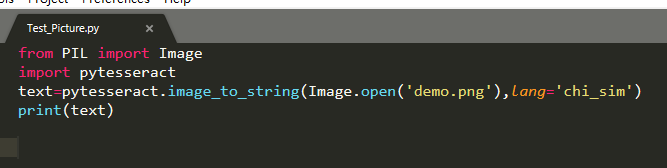
使用Pytesseract库,我们可以轻松地识别图片中的中文字,以下是一个简单的OCR识别示例:
import pytesseract # 设置OCR识别语言为中文 pytesseract.pytesseract.tesseract_cmd = r'C:Program FilesTesseract-OCRtesseract.exe' # Windows系统路径 # 或者 pytesseract.pytesseract.tesseract_cmd = '/usr/bin/tesseract' # Linux系统路径 # 读取预处理后的图片 processed_image = cv2.imread('processed_image.jpg') # 使用Pytesseract进行OCR识别 text = pytesseract.image_to_string(processed_image, lang='chi_sim') print(text)
确定文字位置
Pytesseract还提供了确定文字位置的功能,以下是如何获取文字位置的示例:
# 使用Pytesseract获取文字位置 data = pytesseract.image_to_data(processed_image, output_type=pytesseract.Output.DICT) # 遍历文字位置信息 for i in range(len(data['text'])): if len(data['text'][i]) > 0: x, y, w, h = data['left'][i], data['top'][i], data['width'][i], data['height'][i] print(f"文字位置:({x}, {y}),文字宽度:{w},文字高度:{h}")
FAQs
Q1:如何安装Pytesseract库?
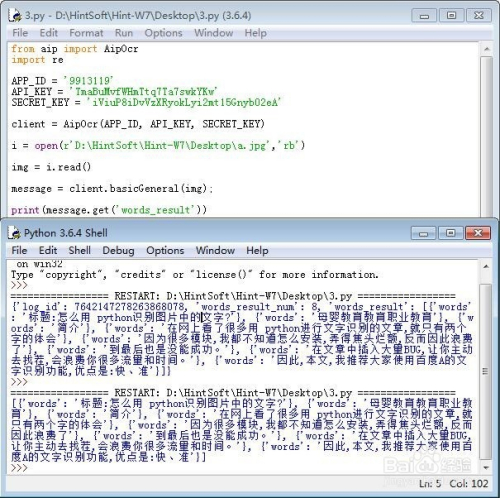
A1:你可以使用pip命令进行安装,具体命令如下:
pip install pytesseract
Q2:如何将识别出的文字保存到文本文件中?
A2:你可以使用Python的文件操作功能将识别出的文字保存到文本文件中,以下是一个示例:
with open('output.txt', 'w', encoding='utf-8') as f: f.write(text)








