上一篇
AngularJS轮播图如何实现自动切换与手势滑动功能?
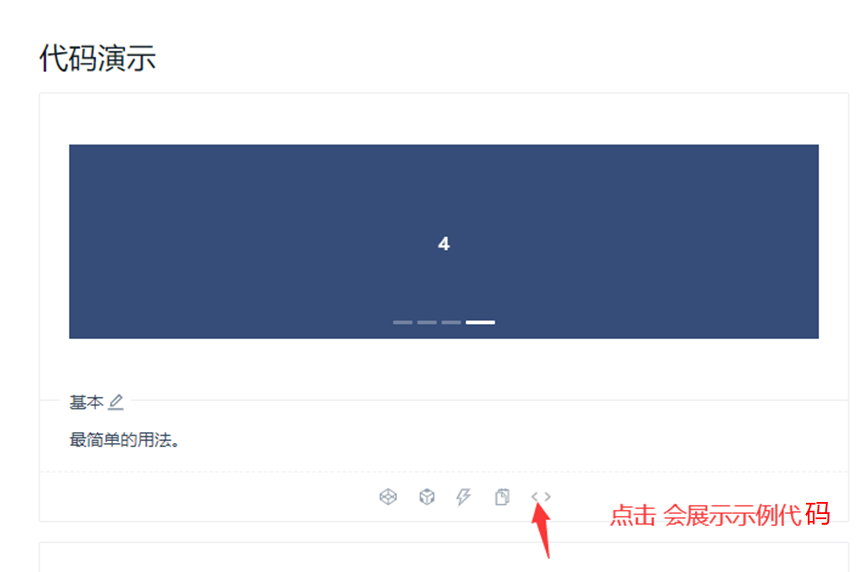
AngularJS轮播图是一种常见的网页交互组件,广泛应用于产品展示、图片画廊、广告轮播等场景,它通过自动切换或手动控制的方式,在有限空间内展示多张图片或内容块,既节省页面空间,又能动态吸引用户注意力,本文将从实现原理、核心功能、代码实现及优化技巧等方面,详细介绍AngularJS轮播图的构建方法。
实现原理与核心功能
AngularJS轮播图的核心依赖于数据绑定和指令系统,通过定义一个数组存储轮播内容,利用ng-repeat指令动态生成轮播项,再结合ng-class或ng-style指令控制显示状态,其核心功能通常包括:
- 自动轮播:通过$interval服务设置定时器,按固定间隔切换当前显示项。
- 手动控制:提供上一页/下一页按钮,或指示器(如小圆点)供用户点击切换。
- 过渡动画:使用CSS3过渡效果(如transition、transform)实现平滑切换。
- 响应式设计:适配不同屏幕尺寸,确保在移动端和桌面端均有良好体验。
基础代码实现
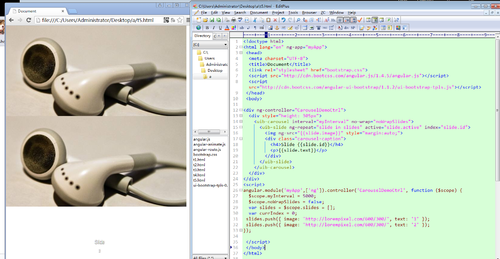
以下是一个简化版的AngularJS轮播图实现步骤:
HTML结构
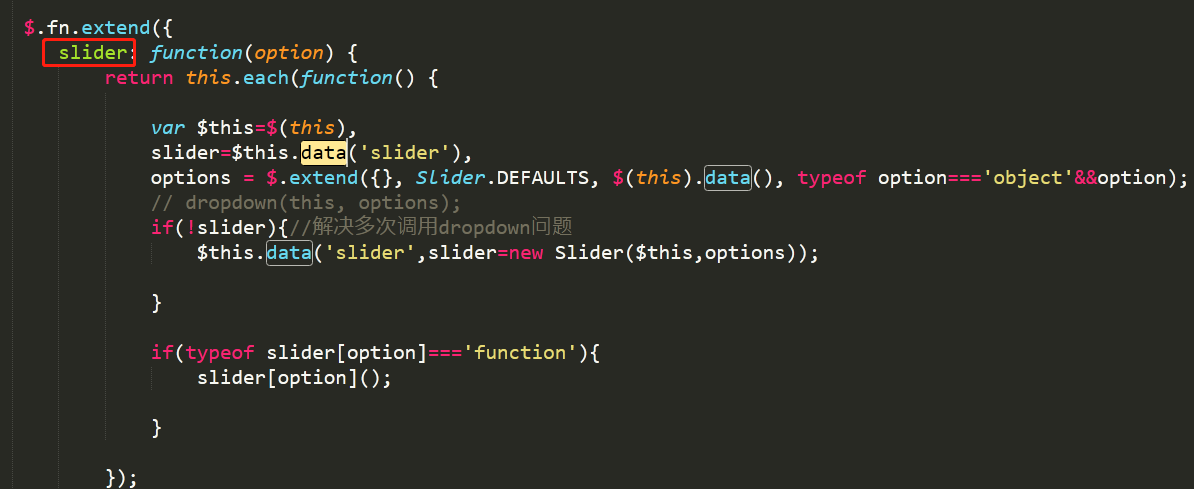
<div ng-app="carouselApp" ng-controller="CarouselCtrl"> <div class="carousel-container"> <div class="carousel-item" ng-repeat="item in items" ng-class="{active: $index === currentIndex}"> <img ng-src="{{item.image}}" alt="{{item.title}}"> </div> <button ng-click="prev()">上一页</button> <button ng-click="next()">下一页</button> <div class="indicators"> <span ng-repeat="item in items" ng-click="goTo($index)" ng-class="{active: $index === currentIndex}"></span> </div> </div> </div>
AngularJS逻辑
angular.module('carouselApp', []) .controller('CarouselCtrl', function($scope, $interval) { $scope.items = [ { image: 'img1.jpg', title: '图片1' }, { image: 'img2.jpg', title: '图片2' }, { image: 'img3.jpg', title: '图片3' } ]; $scope.currentIndex = 0; // 自动轮播 $interval(function() { $scope.next(); }, 3000); // 切换函数 $scope.next = function() { $scope.currentIndex = ($scope.currentIndex + 1) % $scope.items.length; }; $scope.prev = function() { $scope.currentIndex = ($scope.currentIndex - 1 + $scope.items.length) % $scope.items.length; }; $scope.goTo = function(index) { $scope.currentIndex = index; }; });
CSS样式
.carousel-container { position: relative; width: 100%; height: 400px; overflow: hidden; } .carousel-item { position: absolute; width: 100%; height: 100%; opacity: 0; transition: opacity 0.5s ease; } .carousel-item.active { opacity: 1; } .indicators { position: absolute; bottom: 20px; width: 100%; text-align: center; } .indicators span { display: inline-block; width: 10px; height: 10px; margin: 0 5px; background: #ccc; border-radius: 50%; cursor: pointer; } .indicators span.active { background: #333; }
功能扩展与优化
添加过渡动画
除了淡入淡出,还可实现滑动效果,通过transform: translateX()控制轮播项的位置:
.carousel-item { transition: transform 0.5s ease; } .carousel-item.active { transform: translateX(0); }
触摸滑动支持
在移动端,可通过touchstart、touchmove、touchend事件实现滑动切换,以下是核心逻辑:
$scope.touchStartX = 0; $scope.touchEndX = 0; $scope.onTouchStart = function(e) { $scope.touchStartX = e.touches[0].clientX; }; $scope.onTouchEnd = function(e) { $scope.touchEndX = e.changedTouches[0].clientX; if ($scope.touchEndX - $scope.touchStartX > 50) { $scope.prev(); } else if ($scope.touchStartX - $scope.touchEndX > 50) { $scope.next(); } };
在HTML中添加事件绑定:
<div class="carousel-container" ng-swipe-left="next()" ng-swipe-right="prev()">
性能优化
- 图片懒加载:仅加载当前显示项的图片,其他项延迟加载。
- 事件清理:在控制器销毁时取消$interval,避免内存泄漏: $scope.$on('$destroy', function() { $interval.cancel(intervalPromise); });
常见问题与解决方案
| 问题现象 | 可能原因 | 解决方案 |
|---|---|---|
| 轮播切换卡顿 | CSS过渡效果与JS冲突 | 使用transform代替left属性 |
| 自动轮播与手动控制冲突 | 未清除定时器 | 在手动切换时暂停自动轮播 |
| 移动端滑动不灵敏 | 触摸事件未正确绑定 | 检查ng-swipe或原生事件绑定 |
AngularJS轮播图通过数据绑定和指令简化了开发流程,结合CSS3和触摸事件可实现丰富的交互效果,在实际项目中,可根据需求调整动画方式、添加加载状态指示器,或集成第三方库(如ui.carousel)快速实现,关键在于平衡功能复杂性与性能表现,确保组件在不同场景下均能稳定运行。
相关文章
-

VPS性能优化教程怎么做?Making Implicit Concepts Explicit隐式概念显式化原则
-
VPS性能优化教程,Language of the Domain领域语言原则是什么?
-
VPS性能优化教程,Binding Model绑定模型实现原则是什么?
-
VPS性能优化教程怎么做?VPS性能优化方法详解
-
VPS性能优化教程怎么做?VPS优化方法详解
-
VPS性能优化教程,Refactoring Toward Deeper Insight重构深入洞察原则,VPS如何进行性能优化?
-
VPS性能优化教程:Hands-On Modelers实践建模者原则
-
AS4837青云互联悉尼VPS路由分析,青云互联悉尼VPS怎么样