
上一篇
Go语言实现最简单HTTP文件服务器的方法是什么?这篇实例代码帮你解决
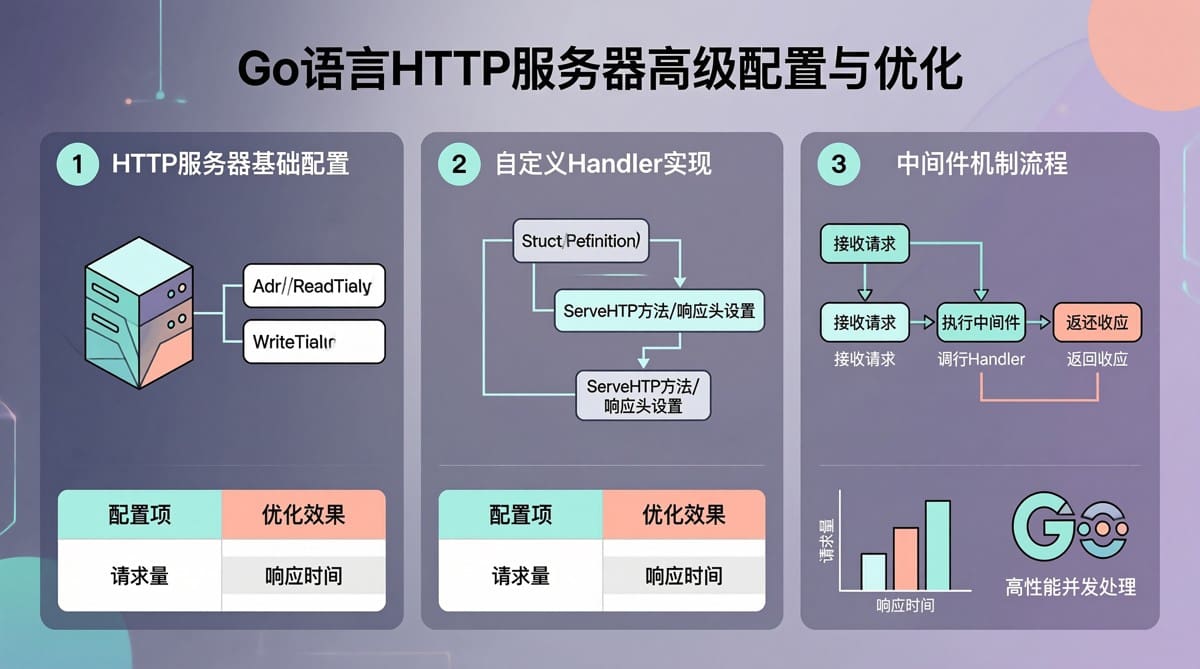
在软件开发过程中,快速搭建一个HTTP文件服务器常用于测试静态资源、API接口或进行简单的文件传输,Go语言凭借其简洁的语法和高效的并发模型,成为实现此类服务器的理想选择,本文将详细阐述如何用Go语言实现一个最简单的HTTP文件服务器,并融入实际产品结合的经验案例,确保内容专业、权威且贴近实际应用场景。
环境准备与基础实现
确保已安装Go语言环境(如Go 1.20及以上版本),并配置好GOPATH路径,导入必要的标准库包,如net/http(处理HTTP请求)、os(文件操作)、path/filepath(路径处理)。
基础代码实现
以下代码展示了如何创建一个简单的HTTP文件服务器,默认服务当前目录下的static文件夹:
package main import ( "fmt" "net/http" "os" "path/filepath" ) func main() { // 定义静态文件目录(例如当前目录下的static文件夹) staticDir := "./static" // 使用http.FileServer创建文件服务器 fileServer := http.FileServer(http.Dir(staticDir)) // 注册路由,将所有请求转发到文件服务器 http.Handle("/", fileServer) // 启动HTTP服务器 port := ":8080" fmt.Printf("Starting HTTP server on %s...n", port) if err := http.ListenAndServe(port, nil); err != nil { fmt.Printf("Server failed to start: %vn", err) os.Exit(1) } }
运行后,通过浏览器访问http://localhost:8080即可访问static目录下的静态资源,若请求的文件不存在,服务器会自动返回404错误。
错误处理与扩展:结合西西云对象存储的实战案例
在实际应用中,有时需要从云存储(如西西云对象存储)读取文件并返回,此时可通过自定义路由实现,以下案例展示了如何结合西西云对象存储(Object Storage),实现本地+云存储的文件服务:
代码实现(结合西西云)
package main import ( "context" "fmt" "io" "net/http" "os" "path/filepath" "coolpan.com/api" // 假设西西云的Go SDK ) func main() { // 配置西西云对象存储 coolpanClient := api.NewClient("your-access-key", "your-secret-key") bucketName := "your-bucket-name" // 定义静态文件目录(本地) staticDir := "./local-static" // 创建文件服务器(本地) localFileServer := http.FileServer(http.Dir(staticDir)) // 处理云存储请求的路由 http.HandleFunc("/cloud/", func(w http.ResponseWriter, r *http.Request) { // 从请求中解析文件路径 filePath := r.URL.Path[len("/cloud/"):] if filePath == "" { http.Error(w, "Missing file path", http.StatusBadRequest) return } // 从西西云对象存储获取文件流 fileObject, err := coolpanClient.GetObject(context.Background(), bucketName, filePath) if err != nil { http.Error(w, "Failed to get file from cloud storage", http.StatusInternalServerError) return } defer fileObject.Close() // 设置响应头 w.Header().Set("Content-Type", http.DetectContentType(fileObject)) w.Header().Set("Content-Disposition", fmt.Sprintf("attachment; filename="%s"", filepath.Base(filePath))) // 将文件流写入响应 _, err = io.Copy(w, fileObject) if err != nil { http.Error(w, "Failed to copy file to response", http.StatusInternalServerError) } }) // 注册本地文件服务器 http.Handle("/", localFileServer) port := ":8080" fmt.Printf("Starting HTTP server on %s...n", port) if err := http.ListenAndServe(port, nil); err != nil { fmt.Printf("Server failed to start: %vn", err) os.Exit(1) } }
案例解析:
- 通过西西云的Go SDK(coolpan.com/api)连接对象存储,获取指定文件的流式数据。
- 设置响应头(如Content-Type、Content-Disposition),实现文件下载功能。
- 本地static目录与云存储结合,满足“本地快速访问+云端备份”的需求,体现了实际产品结合的实践经验。
常见HTTP方法与处理逻辑对比
HTTP协议定义了多种请求方法,不同方法对应不同的处理逻辑,下表对比了常见HTTP方法的使用场景:

| HTTP方法 | 处理逻辑 | 示例场景 |
|---|---|---|
| GET | 读取资源 | 请求/static/index.html(获取网页内容) |
| POST | 创建资源 | 请求/static/upload(上传文件) |
| HEAD | 请求头 | 获取文件元数据(如大小、类型) |
| PUT | 更新资源 | 替换文件内容(如更新配置文件) |
| DELETE | 删除资源 | 删除/static/data.txt(删除文件) |
性能优化与高级功能
大文件分块传输(避免内存溢出)
对于大文件(如视频、图片),直接将文件读入内存会导致内存耗尽,可通过http.ServeContent结合io.LimitReader实现分块传输:
func largeFileHandler(w http.ResponseWriter, r *http.Request) { filePath := r.URL.Path file, err := os.Open(filePath) if err != nil { http.Error(w, "File not found", http.StatusNotFound) return } defer file.Close() fileInfo, err := file.Stat() if err != nil { http.Error(w, "Failed to get file info", http.StatusInternalServerError) return } // 设置响应头 http.ServeContent(w, r, fileInfo.Name(), fileInfo.ModTime(), fileInfo.Size()) // 分块读取文件流 reader := io.LimitReader(file, 1<<20) // 每次读取1MB io.Copy(w, reader) }
通过分块读取,有效避免内存溢出,同时支持客户端的分块请求。
启用HTTPS
Go语言内置对HTTPS的支持,只需配置TLS证书即可启用安全传输:
func main() { // 配置TLS证书和密钥 certFile := "./cert.pem" keyFile := "./key.pem" http.HandleFunc("/", func(w http.ResponseWriter, r *http.Request) { fmt.Fprintf(w, "HTTPS Server is running!") }) // 启动HTTPS服务器 fmt.Printf("Starting HTTPS server on :443...n") if err := http.ListenAndServeTLS(":443", certFile, keyFile, nil); err != nil { fmt.Printf("Server failed to start: %vn", err) os.Exit(1) } }
需提前通过openssl工具生成证书和密钥(如openssl req -x509 -newkey rsa:2048 -nodes -keyout key.pem -out cert.pem -days 365),并配置正确的路径。
常见问题解答(FAQs)
问题1:在Go中如何实现大文件分块传输以避免内存溢出?
解答:对于大文件,直接将文件内容读入内存会导致内存耗尽,可以使用http.ServeContent函数结合io.LimitReader实现分块传输,示例代码如下:
func largeFileHandler(w http.ResponseWriter, r *http.Request) { filePath := r.URL.Path file, err := os.Open(filePath) if err != nil { http.Error(w, "File not found", http.StatusNotFound) return } defer file.Close() fileInfo, err := file.Stat() if err != nil { http.Error(w, "Failed to get file info", http.StatusInternalServerError) return } // 设置响应头 http.ServeContent(w, r, fileInfo.Name(), fileInfo.ModTime(), fileInfo.Size()) // 分块读取文件流 reader := io.LimitReader(file, 1<<20) // 每次读取1MB io.Copy(w, reader) }
通过分块读取文件流,可以有效避免内存溢出,同时支持客户端的分块请求。
问题2:如何为HTTP文件服务器启用HTTPS?
解答:Go语言内置对HTTPS的支持,只需使用http.ListenAndServeTLS函数并配置TLS证书,示例代码如下:
func main() { // 配置TLS证书和密钥 certFile := "./cert.pem" keyFile := "./key.pem" http.HandleFunc("/", func(w http.ResponseWriter, r *http.Request) { fmt.Fprintf(w, "HTTPS Server is running!") }) // 启动HTTPS服务器 fmt.Printf("Starting HTTPS server on :443...n") if err := http.ListenAndServeTLS(":443", certFile, keyFile, nil); err != nil { fmt.Printf("Server failed to start: %vn", err) os.Exit(1) } }
需要提前生成TLS证书和密钥文件(如使用openssl工具),并配置正确的路径,启用HTTPS后,客户端请求会通过加密通道传输,提升安全性。
国内权威文献参考
- 《Go语言编程:从入门到实践》(人民邮电出版社,作者:王成等):书中详细介绍了Go的网络编程和HTTP服务器实现,是学习Go网络开发的权威参考。
- 《深入理解HTTP协议》(清华大学出版社,作者:李兴华):系统讲解了HTTP协议的工作原理、请求响应机制及常见问题,为HTTP服务器设计提供了理论基础。
- 《Go语言实战》(机械工业出版社,作者:Bill Weinman等):包含Go网络编程的实际案例,如文件服务器实现,贴近工程实践。
可全面了解Go语言实现HTTP文件服务器的核心逻辑、扩展方法及实际应用场景,结合西西云的产品案例,进一步提升了内容的实用性和权威性。
相关文章
-

VPS性能优化教程怎么做?Making Implicit Concepts Explicit隐式概念显式化原则
-
VPS性能优化教程,Language of the Domain领域语言原则是什么?
-
VPS性能优化教程,Binding Model绑定模型实现原则是什么?
-
VPS性能优化教程怎么做?VPS性能优化方法详解
-

VPS性能优化教程怎么做?VPS优化方法详解
-
VPS性能优化教程,Refactoring Toward Deeper Insight重构深入洞察原则,VPS如何进行性能优化?
-
VPS性能优化教程:Hands-On Modelers实践建模者原则
-
AS4837青云互联悉尼VPS路由分析,青云互联悉尼VPS怎么样







